
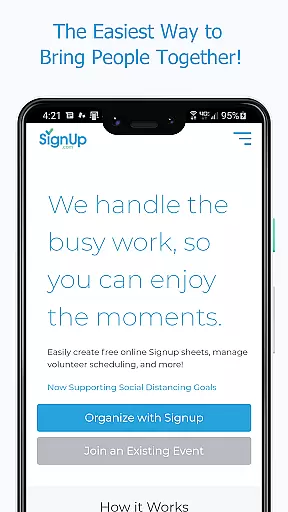
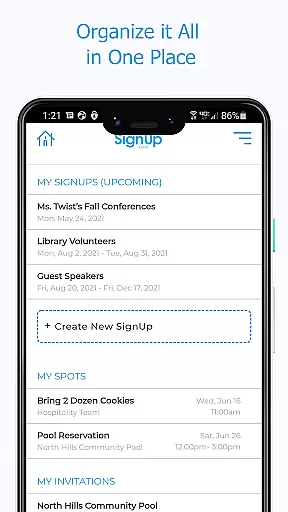
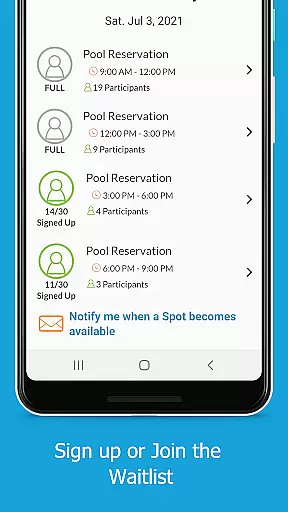
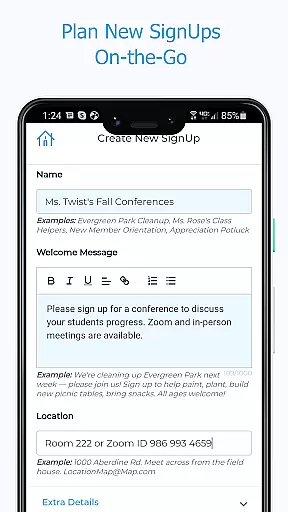
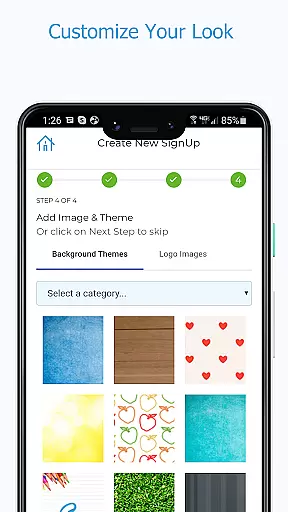
Sign Up by SignUp.com is a powerful productivity app designed to simplify the organization of group events, activities, and conferences. This ad-free platform serves as a companion to SignUp.com, enabling users to effortlessly plan and manage signups. With over 22 million users, including teachers, parents, business leaders, and community members, it's trusted for saving time and achieving remarkable outcomes.
The app allows organizers to schedule and manage various activities such as volunteer calendars, event registrations, and more. Participants can quickly sign up, pay fees, track volunteer hours, and sync with their phone calendars. During the pandemic, it has supported safe occupancy management and contact tracing, making it an essential tool for workplaces, schools, and communities.
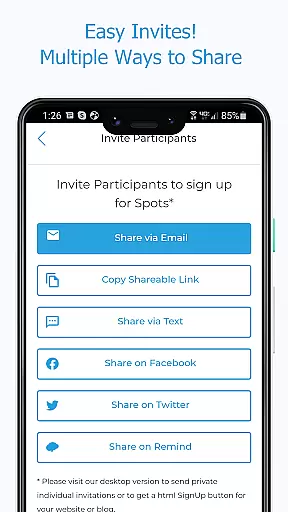
Sign Up by SignUp.com offers a comprehensive set of features tailored for both organizers and participants. Organizers can manage volunteers and events in real-time, plan new signups on-the-go, and set up shifts or conference appointments. They can invite participants via text, email, or social media and view all their signups in one place.
Participants benefit from easy signup processes, viewing all assignments in one location, and messaging organizers directly. The app supports payments, automated confirmations, reminders, and calendar syncing. Additional features include inviting others to join, accepting waivers, joining waitlists, and signing up family members, ensuring a seamless experience for all users.
Effective task management is essential for productivity apps, and Sign Up by SignUp.com excels in this area. The app provides organizers with real-time tools to manage volunteers and events efficiently.
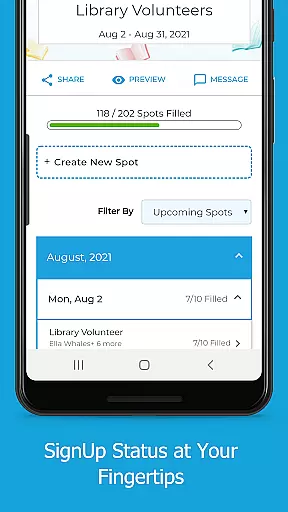
With the ability to plan new sign-ups on-the-go, set up a series of shifts or conference appointments, and invite participants via text, email, or social media, it ensures seamless coordination. Organizers can also view all their sign-ups in one place, check statuses, search for participant assignments, and make necessary adjustments.
Participants benefit from features that allow them to sign up quickly, choose assignments with ease, and view all their commitments in one location. Automated confirmations and reminders further enhance the user experience, ensuring everyone stays informed and on track.
Cross-device synchronization is crucial for users who need access to their data from multiple devices. Sign Up by SignUp.com offers reliable synchronization that ensures all your information is up-to-date across different platforms.
Whether you're an organizer managing volunteers or a participant signing up for events, the app syncs your assignments, messages, and calendar updates in real time. This means you can start planning on your phone and continue on your tablet or computer without missing a beat.
The app's synchronization capabilities extend to messaging, allowing both organizers and participants to communicate effectively through text, phone, or email. With such robust cross-device support, Sign Up by SignUp.com ensures that no matter where you are, your event management tasks are always within reach.
User-friendly interface
Real-time management
Comprehensive reporting
Automated reminders
Wide user base
Premium features locked
Limited free options
Requires invitation
Occasional bugs
Complex setup

Native client for Forgejo and Gitea
 5.00
5.00
Total remote control for your Android device, PC and cloud services (IFTTT)!
4.20
All in one sketching tool. Technical and General drawing. Online Maps support.
3.70
Android Wallet Password Manager
4.80
Find and delete junk files & block unwanted notifications & manage files
3.70
* block pre-roll ads, pop-up and forced redirect ads * Samsung certification app
4.00
To do list widget with a notebook organizer, checklist, simple shopping list
4.60
Understand anything with a personalized AI research assistant
4.80
AT&T Internet customers can use this app to personalize their Wi-Fi network.
4.40
Use powerful, industry-leading AI tools to generate visual charts from any data
4.80
App lock - lock apps with fingerprint, password, pin or pattern, protect privacy
4.70
Client for Nextcloud Deck
4.60
The AI assistant that thinks with you - write, code, and solve complex tasks
4.60
Docker, Kubernetes management over Portainer Mobile
4.40
Professional calendar app for Google Calendar, MS Outlook & Exchange
4.20
Easily read and manage all your PDF files
4.10
Font maker keyboard with your own handwriting
4.10
Cloud storage, automatic phone backup, and more.
4.10
Take control of your clipboard with Clipper!
3.90


User Reviews