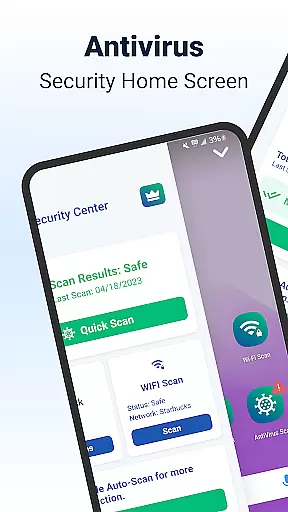
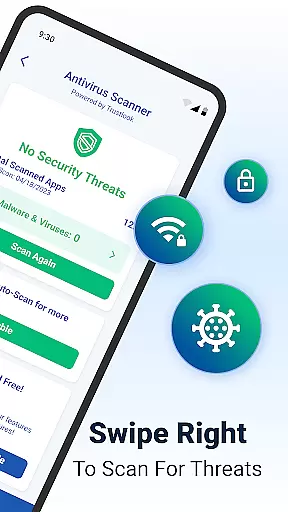
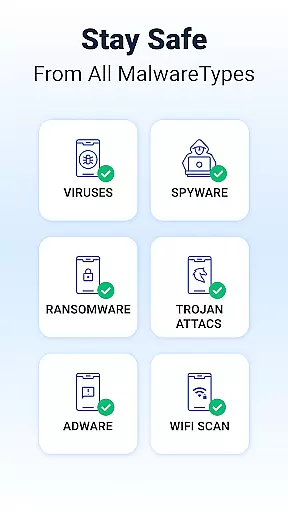
Shield Antivirus Home Screen is a comprehensive security solution for Android devices, offering robust protection against viruses, malware, and cyber threats. The app features an advanced AI-driven antivirus scanner with a 99% detection rate, ensuring reliable threat identification while maintaining minimal false positives.
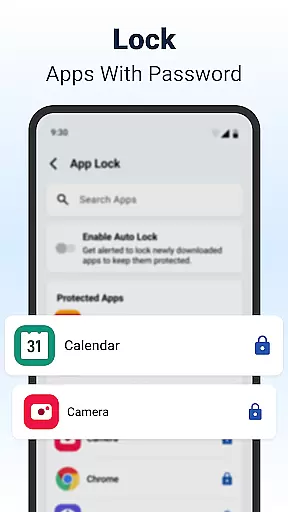
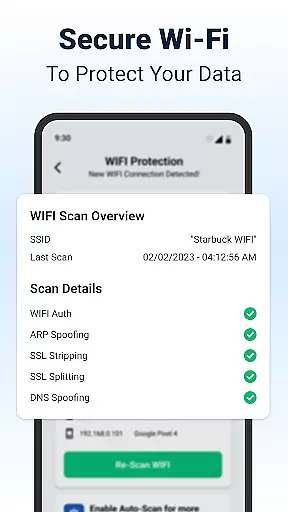
Beyond basic security, Shield provides privacy-focused tools like AppLock, which secures sensitive apps using passwords or biometric authentication. Its WiFi scanning functionality adds another layer of safety by detecting network vulnerabilities such as ARP spoofing and DNS attacks. Additionally, users can customize their experience through personalized lock screens and privacy settings, making it both functional and visually appealing.
This app is ideal for individuals seeking to protect their personal data while enjoying a customizable and secure mobile environment. With its combination of cutting-edge security features and user-friendly design, Shield ensures peace of mind without compromising on style or usability.
Shield Antivirus Home Screen stands out with its diverse range of features designed to enhance device security and user experience. At its core is the AI-powered antivirus scanner, which delivers high-accuracy threat detection and rapid scanning capabilities. This feature not only identifies existing risks but also proactively blocks potential threats before they cause harm.
The AppLock functionality allows users to safeguard their private apps using fingerprint recognition or PIN codes. Alongside this, the app includes advanced WiFi scanning tools that monitor network integrity and alert users to suspicious activities. These tools are complemented by network device scanning, enabling users to identify unauthorized connections on their WiFi networks.
Customization options further enrich the user experience. Shield lets users personalize their home screens with intuitive privacy controls and aesthetic enhancements. Whether securing personal information or tailoring the interface to individual preferences, Shield combines innovation with practicality to deliver a superior security solution.
Customization is at the heart of Shield Antivirus Home Screen, offering users a versatile way to personalize their Android devices. With a wide array of customization options, users can tailor their home screens to match their personal style while maintaining top-notch security.
The app allows for extensive modifications, from changing themes and wallpapers to customizing privacy controls. This flexibility ensures that every user can create a unique interface that suits their preferences without compromising on functionality or protection.
Shield's customization extends beyond aesthetics; it includes practical features like AppLock and secure WiFi scanning settings. Users can set up personalized security layers, ensuring that sensitive information remains protected while enjoying a bespoke device experience.
By integrating advanced privacy tools with customizable options, Shield Antivirus Home Screen empowers users to design an Android experience that is both visually appealing and secure. This combination of style and safety sets Shield apart as a comprehensive personalization solution.
Theme compatibility is a crucial aspect of Shield Antivirus Home Screen, ensuring that users can seamlessly apply their preferred themes across their Android devices. The app supports a wide range of themes, allowing for a cohesive visual experience without disrupting the device's functionality.
With Shield, users can switch between different themes effortlessly, knowing that each theme is optimized for compatibility and performance. This feature guarantees that all visual elements, from icons to backgrounds, integrate smoothly with the deviceu2019s existing system and apps.
Beyond basic theming, Shield offers advanced customization options that work harmoniously with chosen themes. Users can adjust privacy settings, app layouts, and security features while maintaining a consistent look and feel throughout their device.
This level of theme compatibility not only enhances the aesthetic appeal of the device but also reinforces Shield's commitment to providing a personalized yet secure Android experience. By prioritizing both form and function, Shield ensures that users enjoy a fully customized interface without sacrificing essential security features.
Powerful antivirus engine
User-friendly interface
Advanced WiFi protection
Customizable lock screen
Free essential features
Premium version costly
Occasional ads in free mode
Resource-intensive scans
Limited iOS compatibility
Steep learning curve

Capture moments that pass like a storm, second by second.
 4.3
4.3
Try creating your own keyboard with "Keyboard theme for android" app now!
4.50
The definitive Icon pack maker and editor
4.30
Ultimate Gallery Lock App - Hide Pictures, Videos and Lock Apps Instantly!
4.60
App Icon Changer & Shortcut Creator. Customize your icons without any watermarks
4.30
Custom edge gestures for volume control, brightness, apps, and shortcuts.
4.4
Struggling to find apps? Use this app to locate and open any app on your phone!
2.20
Transform your device in a game console
4.40
A minimalist productivity launcher. One-hand-friendly. Zero ads.
4.70
Customizable Glass widgets. Over 360+ stunning widgets and more!
4.70
A Colorful and Minimal icon pack in an Outline Style - Over 13,600 icons!
4.70
Personalize your phone with stunning HD and 4K wallpapers!
4.70
Customize your home screen with stunning themes, blur, widgets & icons.
4.60
A light in the dark, a unique style and an andless cutomization!
4.30
Unique Fonts, typefaces and stylish text. Fonts for Instagram, Whatsapp & others
4.20 3.50
3.50
Interactive Miniature Painting Catalogue
3.30
Prank your friends with realistic broken screen and cracked HD effects!
4.4
Modern Glass Icon Pack with glossy icons, clean minimal theme & aesthetic style
4.4


User Reviews