
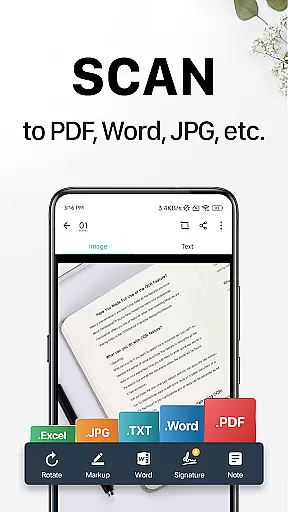
CamScanner is a versatile productivity app that transforms your mobile device into a powerful portable scanner. With advanced OCR technology, it allows users to instantly scan, save, and share documents in various formats such as PDF, JPG, Word, or TXT. Whether you need to digitize receipts, notes, invoices, or business cards, CamScanner provides a complete solution for all document management needs.
The app stands out with its smart cropping and auto-enhancing features that ensure professional-quality scans every time. It also offers wireless printing, remote fax capabilities, and cross-platform syncing, making it an essential tool for both personal and professional use. With over 300 million users worldwide, CamScanner helps individuals and businesses improve their productivity while saving valuable time.
CamScanner offers an impressive range of features designed to optimize document management. The app's quick digitization capability allows users to scan any type of paper document using their phone’s camera. Its intelligent cropping and auto-enhancement tools ensure that every scan has premium color accuracy and sharp resolution.
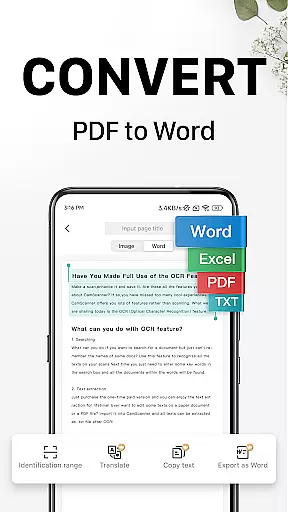
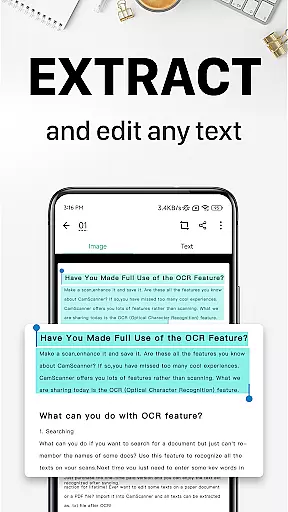
One of the standout features is the OCR functionality, which extracts text from images or PDFs for easy searching, editing, and sharing. Additionally, CamScanner supports wireless printing and remote faxing to over 30 countries, eliminating the need for physical printers or fax machines. Advanced document editing tools enable users to annotate files and add customized watermarks, while the quick search function allows tagging and finding documents effortlessly.
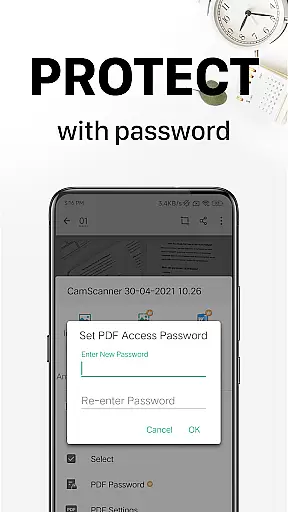
Security is also a priority, with options to password-protect important documents and secure download links. The app syncs seamlessly across multiple devices, ensuring users can access their files anytime, anywhere. These robust features make CamScanner an indispensable tool for modern professionals seeking efficiency and convenience.
CamScanner excels in core task management by offering a comprehensive suite of tools designed to streamline document handling. This productivity app allows users to quickly digitize receipts, notes, invoices, and more, transforming them into high-quality PDF or JPEG files.
The app's intelligent cropping and auto-enhancement features ensure that every scan maintains premium color accuracy and sharpness. With optical character recognition (OCR), CamScanner enables text extraction from images or PDFs, making the content easily searchable and editable.
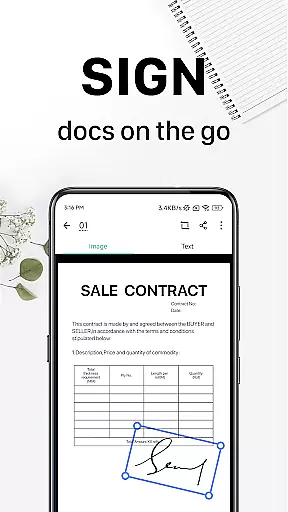
Users benefit from advanced document editing options, including annotation tools and customizable watermarks. These features not only enhance document management but also provide a secure way to mark proprietary content, ensuring both productivity and document integrity are maintained.
Cross-device synchronization is a standout feature of CamScanner, ensuring reliable access to documents across multiple platforms. By signing up for an account, users can sync their scanned documents on smartphones, tablets, or computers, accessing them anytime via the CamScanner website or app.
This seamless integration enhances workflow efficiency, allowing users to view, edit, and share documents on the go. Whether at home, in the office, or traveling, CamScanner ensures your important files are always within reach.
Security is also prioritized, with options to password-protect documents and their download links. This guarantees that confidential information remains safe while enjoying the convenience of cloud-based synchronization.
User-friendly interface
High-quality scans
Advanced OCR technology
Cross-platform syncing
Wireless printing support
Premium features locked
Subscription fees apply
Limited free trial
Ads in free version
Occasional bugs

All in one sketching tool. Technical and General drawing. Online Maps support.
 3.70
3.70
Send files, sync SMS, notifications & clipboard across devices via local network
4.40
Automates browsing any website and notifies you of important changes or events
4.30
We're working to become the best machining app on the market! www.cncdirt.com
4.80
Customizable calendar widget for seamless event sync, planning & scheduling.
4.00
Find and delete junk files & block unwanted notifications & manage files
3.70
Activate Two Factor Authentication (2FA or Multi OTP), Password manager and more
4.10
Code on-the-go with VScode for Android. Edit,debug and collaborate from mobile!!
3.10
Share files & memories safely. Keep your photos and videos secure.
4.40
QuickBooks Workforce lets teams view pay info and track time in one place.
4.70
A beautiful digital clock with autostart and many other functions
4.70
To do list widget with a notebook organizer, checklist, simple shopping list
4.60
Todo reminder
4.10
Font maker keyboard with your own handwriting
4.10
Experience real multitasking on your Android!
4.00
Create and edit presentations with Google Slides, part of Google Workspace.
4.00
Secure, open-source, SPICE and SSH Remote Desktop for QEMU KVM virtual machines
4.00
Ultimate Virtual AI Character for immersive Roleplay Chat. Perfect Companion
3.90
Ads Free App! Editor, Hide File, Copy, Move, Delete and Rename.. all facility av
1.70


User Reviews