
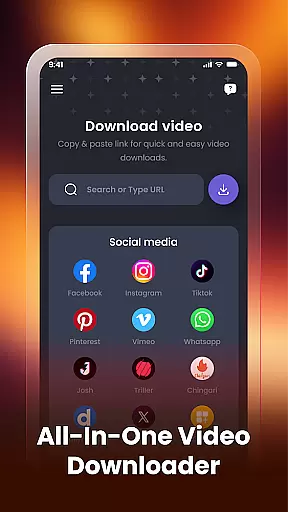

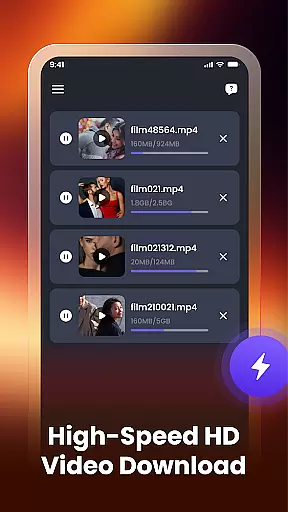
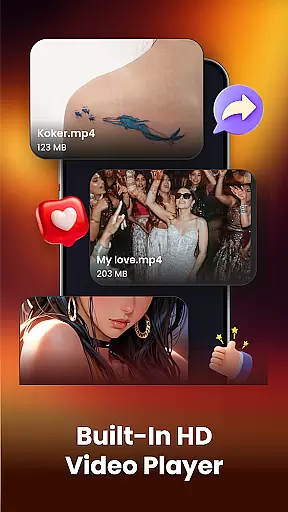
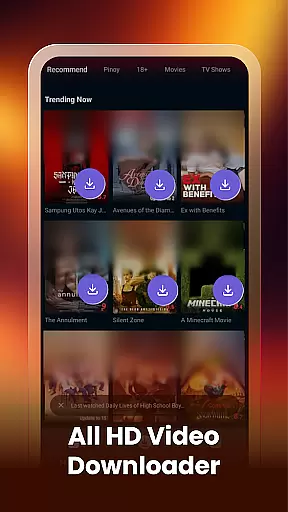
Video Downloader & Player is a versatile tool designed for downloading, managing, and playing videos with ease. The app supports fast video downloading from various social apps and websites, allowing users to save their favorite content effortlessly. With its built-in video player, users can watch downloaded videos directly within the app, eliminating the need for external players.
The app also features a smart video manager that enables users to rename, share, or delete videos easily. It automatically detects existing videos on the device, ensuring all content is organized and accessible. Whether you're looking to download HD videos or manage your offline collection, Video Downloader & Player provides a seamless experience across multiple platforms.
Video Downloader & Player stands out with its comprehensive feature set tailored for video enthusiasts. One of its key strengths is the fast video downloading capability, which allows users to paste links from social apps or websites and download videos instantly. The support for multiple downloads ensures that users can manage several video downloads simultaneously without any interruptions.
In addition to downloading, the app includes a built-in video player that supports various HD video formats, delivering high-quality playback. The smart video manager offers functionalities like renaming files, sharing videos, and viewing file paths, making it easy to keep track of stored content. These features collectively enhance user convenience and streamline video management tasks.
Video format compatibility is a crucial feature for any video player, ensuring that users can enjoy videos in various formats without technical hindrances. Video Downloader & Player supports an extensive range of video formats, including HD quality, making it versatile for different user needs.
The app's ability to auto-detect existing videos on the device showcases its comprehensive compatibility. Whether your files are from social media platforms or other sources, this functionality ensures that no video is left behind, enhancing accessibility and convenience.
With Video Downloader & Player, you're not just limited to playback within the app. The smart video manager allows you to view file paths, giving you control over where and how your videos are stored. This level of transparency empowers users to manage their content efficiently across multiple platforms.
AI-powered editing features represent the cutting-edge evolution of video players, providing users with tools that go beyond simple playback. Video Downloader & Player incorporates intelligent management options such as renaming, sharing, or deleting videos easily, which streamlines the post-download process significantly.
Although the app doesn't explicitly market itself as an editor, its smart detection capabilities act as a form of AI enhancement. By instantly identifying videos already present on your device, it saves time and organizes your library without manual input, offering a seamless blend of downloading and managing content.
While traditional editing might not be its primary focus, the efficiency gained through automated processes powered by AI technology enhances user experience. These features ensure that Video Downloader & Player remains not only a tool for acquiring videos but also a comprehensive solution for maintaining an organized and accessible media library.
User-friendly interface
Fast download speeds
HD video support
Multiple download management
Built-in video player
Limited to personal use
No cloud integration
Basic editing tools
Occasional compatibility issues
Ads in free version

The smartest M3U IPTV Player your playlists have ever seen.
 4.2
4.2
KineMaster, Your Ultimate Video Editor!
4.40
1)AirPlay/DLNA Mirroring/Streaming, up to 4 connections; 2)Samba/NAS/DMS Player.
4.00
High-Quality USB Camera Viewer & HDMI Display
4.70
Explore the largest library of free GIFs, Stickers & Memes - or create your own!
3.90
Cast to Smart TV, Fire TV. Cast video, photo - Fast & Stable!
3.90
Download videos and play them offline
4.70
Flud is a simple and beautiful BitTorrent client for Android.
4.80
Livestream, news, & gaming content. Watch, chat, and upload. Join Rumble today!
3.80
A Simple app to download Video & Music from the Internet.
4.70
GENRAL PRO - General Pro is the best video player that fully supports all formats.
4.70
VLC Remote lets you control your VLC Media Player on Mac, PC or Linux.
4.60
Fast & easy HD video downloader for all formats, support 4K playback & download.
4.60
Video player, file manager for all formats, 4K/HD media player supports subtitle
4.30
This app was created to edit the metadata of music files.
4.20
Video player with 4K & 1080P support, popup play, background play and subtitle.
4.20
Your media, on your terms.
4.10
Stream high quality video from your camera over NDI protocol
4.5
Play and download HD videos from all sources — fast, simple, and all-in-one.
4.1


User Reviews