
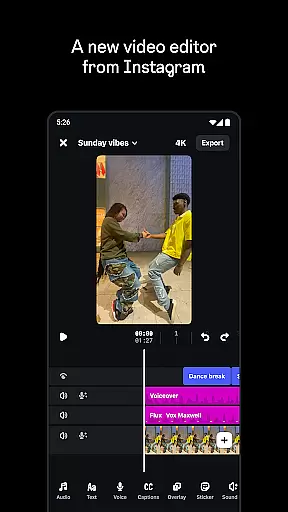
Edits is a powerful mobile video editor designed specifically for content creators who want to produce professional-quality videos directly from their smartphones. The app offers an all-in-one solution for video creation, providing tools for precise editing, high-quality exporting, and seamless sharing across platforms.
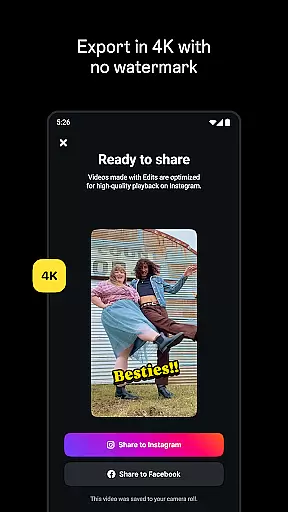
One of the standout features of Edits is its ability to export videos in 4K resolution without watermarks, ensuring your content looks polished and professional. Additionally, the app simplifies the creative process by allowing users to capture high-quality clips, save drafts, and edit with single-frame precision. With AI-powered tools like automatic captions, green screen effects, and audio enhancement, Edits empowers creators to bring their ideas to life effortlessly.
Whether you're a social media influencer or a casual creator, Edits provides everything you need to streamline your workflow and maximize engagement. Its live insights dashboard helps track performance metrics, while the built-in library of fonts, filters, and sound effects ensures your videos stand out.
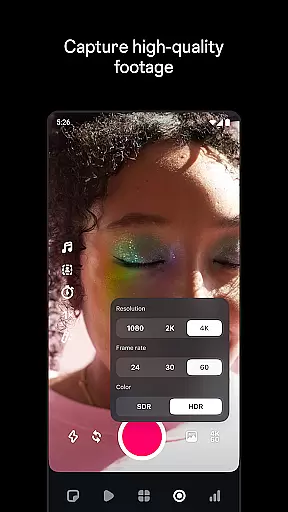
Edits stands out in the crowded field of mobile video editors due to its comprehensive suite of advanced features tailored for modern creators. One of its key strengths is the ability to edit videos with single-frame precision, giving users unparalleled control over their projects. This level of detail is complemented by customizable camera settings that allow adjustments for resolution, frame rate, and dynamic range, ensuring optimal video quality.
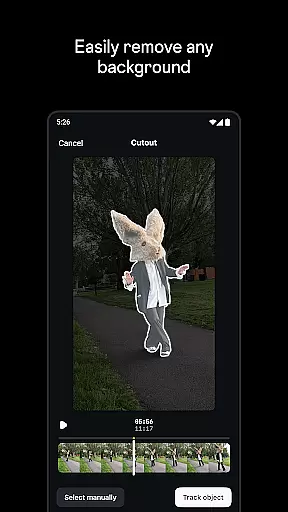
The app also incorporates cutting-edge AI technology to enhance creativity. For instance, its AI animation feature can bring static images to life, while the automatic caption generator saves time by transcribing audio and letting users customize text appearance. Furthermore, Edits offers versatile background editing options such as green screen, cutout, and video overlays, enabling unique visual storytelling.
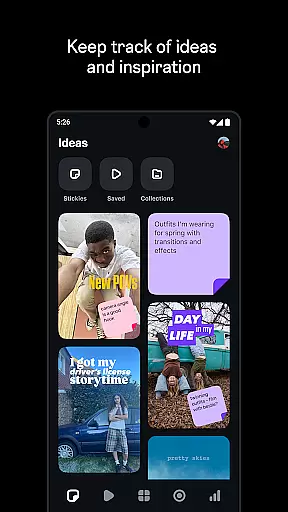
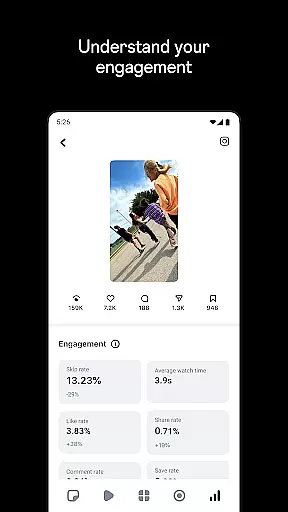
Beyond editing capabilities, Edits supports creators with tools for inspiration and analytics. Users can browse trending audio reels to spark new ideas, save drafts for future projects, and monitor their content's performance through a live insights dashboard. These features collectively make Edits a robust platform for both novice and experienced video creators.
Video format compatibility is crucial for any video editor, and Edits, an Instagram App, ensures that creators can work with a wide range of video formats. This flexibility allows users to import videos from various sources without worrying about format issues.
The app supports high-resolution video editing, enabling creators to export their projects in 4K without watermarks. This feature is essential for maintaining the quality of the original footage and ensuring that the final product meets professional standards.
Moreover, Edits provides advanced camera settings for resolution, frame rate, and dynamic range, giving creators control over the technical aspects of their videos. These options are important for achieving the desired look and feel of the content being produced.
By offering comprehensive video format support, Edits empowers creators to focus on their artistic vision rather than technical limitations, making it a versatile tool for video production on mobile devices.
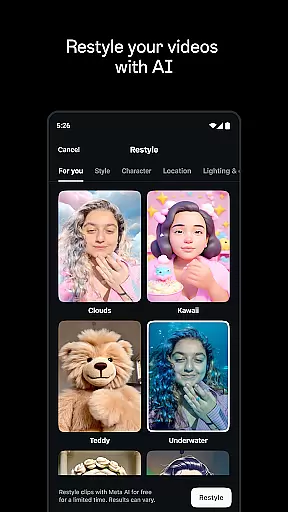
Edits incorporates AI-powered editing features that significantly enhance the video creation process. One standout feature is the ability to bring images to life through AI animation, providing a dynamic element to static visuals.
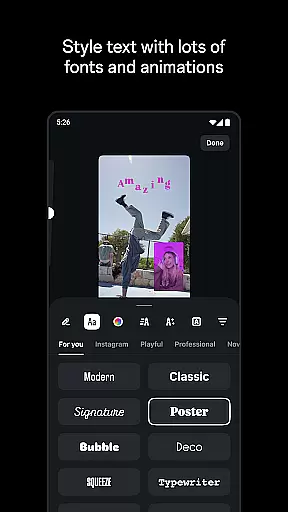
The app also offers automatic caption generation, which simplifies the process of adding text to videos. Creators can customize how these captions appear, ensuring they align with the video's style and tone while improving accessibility for viewers.
Audio enhancement is another AI-driven feature, allowing users to make voices clearer and remove background noise. This results in more professional-sounding audio tracks that complement the video content.
With these intelligent tools, Edits streamlines the editing process, enabling creators to produce high-quality videos efficiently. The integration of AI not only saves time but also opens up new creative possibilities for users of all skill levels.
User-friendly interface
Advanced editing tools
AI-powered features
4K video export
Live performance tracking
Limited to mobile devices
Requires learning curve
Premium features may cost extra
Occasional bugs reported
Internet connection needed for some features

Photo and Music Video Creator into Stunning Videos—Effortlessly
 4.40
4.40
Create & edit videos with AI
4.30
Stream high quality video from your camera over NDI protocol
4.5
Fast & Private Video Downloader App. Save all videos easily from the Internet.
4.40
Video Downloader, Multiple Resolution Options, Video Player
4.50
Download videos and play them offline
4.70
Manage your IPTV live channels and VOD playlists (no playlist included)
3.80
VLC for Android is the best open source video and music player, fast and easy!
4.10
Capture the moment and Cut
3.40
Cast movies, tv shows and live streams to Chromecast, Roku, DLNA, Fire TV & more
4.60
Snaptubè Video Downloader app allows to download videos and music in Snaptube. .
4.60
Fast & Private HD Video Downloader with Built-in Proxy Browser and Video Player.
4.50
Download website videos fast&privacy
4.40
KMPlayer Plus (Divx Codec) officially support Divx codec.
4.30
Web Browser for LG TV to stream webvideos, online movies and livestreams in HD
4.20
All format media Player, no need video converter any more!
4.00
HD video & music player - All format support with floating & PIP mode!
3.80
IPTV Player - Watch live TV from m3m & m3u8 playlist, stream IPTV on mobile
3.30
Powerful HD video player with support for all formats & subtitles.
4.1


User Reviews