


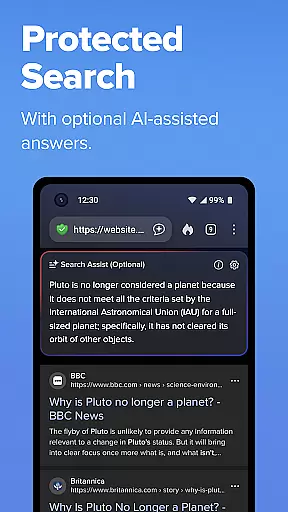
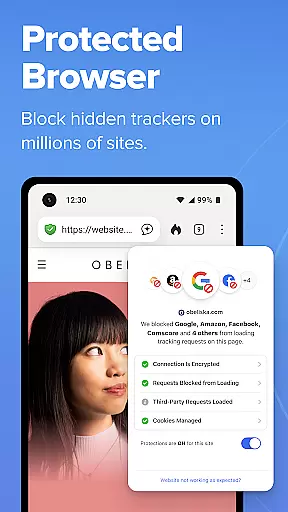
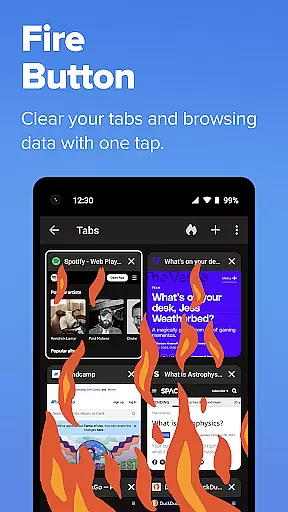
DuckDuckGo is a privacy-focused search and browsing application designed to protect users' personal information while navigating the internet. The app offers a built-in search engine that operates similarly to Google but without tracking user searches, ensuring anonymity. It also provides robust browsing protections such as blocking ad trackers and cookies, which prevent other companies from collecting user data.
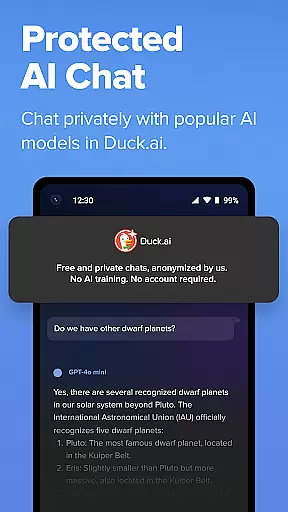
One of the standout features of DuckDuckGo is its optional integrated AI functionalities like Search Assist and Duck.ai, which are private and do not use user data for AI training. Additionally, the browser includes various privacy-enhancing tools such as Email Protection, YouTube video viewing without targeted ads, and automatic HTTPS enforcement. These features collectively offer a secure browsing experience, making it an ideal choice for users who prioritize their online privacy.
DuckDuckGo stands out with its comprehensive suite of privacy protection features. The app's built-in search engine ensures that user searches remain private and untracked, providing a stark contrast to conventional search engines. Its 3rd-Party Tracker Loading Protection blocks most trackers before they load, offering superior protection compared to what most popular browsers provide by default.
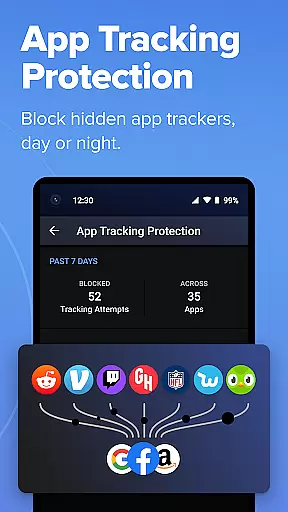
In addition to these core features, DuckDuckGo offers unique functionalities such as private AI conversations through Duck.ai, which anonymizes interactions and does not use them for AI training. Users can also benefit from optional features like Email Protection, which blocks email trackers and hides real email addresses, and Duck Player, which allows YouTube video viewing without targeted ads. Furthermore, the app enforces encryption automatically and includes App Tracking Protection to block hidden trackers in other apps, enhancing overall device privacy.
DuckDuckGo focuses on core task management by offering a suite of privacy-centric tools that help users take control of their online activities. The app provides robust search functionalities without tracking, ensuring that your searches remain private and secure.
With features like 3rd-Party Tracker Loading Protection, DuckDuckGo blocks most trackers before they load, significantly enhancing user privacy. This ensures that your browsing history is shielded from unwanted eyes, providing a safer internet experience.
In addition to protecting searches and browsing history, the app offers optional integrated AI features such as Search Assist and Duck.ai. These tools are designed to assist users without exploiting personal data, maintaining privacy while delivering useful functionalities.
Overall, DuckDuckGo's approach to task management centers around safeguarding user information, making it an ideal choice for those who prioritize privacy in their daily digital tasks.
Cross-device synchronization is a critical feature for productivity apps, and DuckDuckGo excels in this area by providing reliable and secure syncing options. Users can sync encrypted bookmarks and passwords across multiple devices, ensuring seamless access to important data regardless of the device in use.
The app's Sync and Back Up Securely feature allows users to maintain consistency in their browsing experience. By encrypting sensitive information, DuckDuckGo ensures that personal data remains protected during the synchronization process, reducing the risk of unauthorized access.
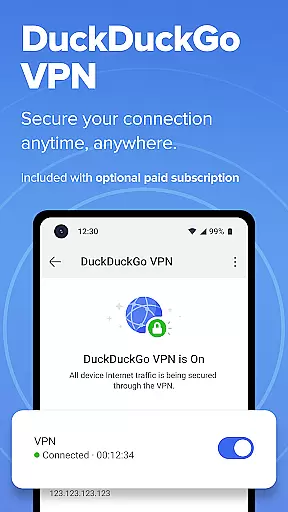
Moreover, DuckDuckGou2019s subscription service enhances cross-device functionality by including advanced features like a VPN that secures connections on up to five devices. This comprehensive approach not only boosts productivity but also fortifies security across all synced devices.
By focusing on reliable and secure synchronization, DuckDuckGo ensures that users can efficiently manage their tasks and data without compromising on privacy or performance.
Privacy-focused search
Tracker blocking
Private AI features
Automatic HTTPS
Email protection
Limited advanced features
No native cloud sync
Fewer customization options
Less popular extensions
Occasional site compatibility issues

 4.20
4.20
Secure, fast, open-source, VNC and SSH Remote Desktop for Windows, Linux and Mac
4.70
A Revolutionary All-in-One Artificial Intelligence Tools
3.80
Make apps & sites with natural language prompts
4.10
Find and delete junk files & block unwanted notifications & manage files
3.70
All document reader, all in one file viewer read PDF, DOCX, XLS, PPT, TXT files.
4.60
Share files & memories safely. Keep your photos and videos secure.
4.40
Ultimate Virtual AI Character for immersive Roleplay Chat. Perfect Companion
3.90
AT&T Internet customers can use this app to personalize their Wi-Fi network.
4.40
Use powerful, industry-leading AI tools to generate visual charts from any data
4.80
Seamlessly integrate data and reports to build your presentation to impress
4.80
Scan paperwork into PDF/JPG, generate your own e-signature and send fax or email
4.70
To do list widget with a notebook organizer, checklist, simple shopping list
4.60
A Pixel Art watchface inspired by other iconic 90s designs for Wear OS devices!
4.40
Easily read and manage all your PDF files
4.10
Cloud storage, automatic phone backup, and more.
4.10
AI Video AI Image Private LLM AI Browser Llama Gemma Ollama Connect LLM Studio
4.3
The upgraded version of Name Wheel with AI and the power to add your own wheels.
4.5
A simple, portable logger for POTA, SOTA, Field Day, and more
4.4


User Reviews