
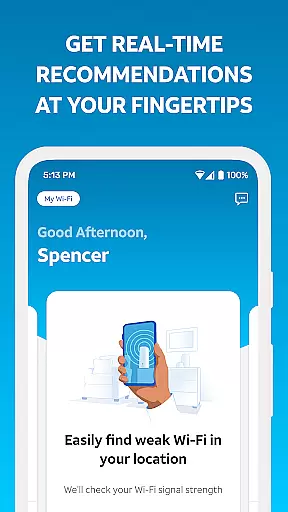
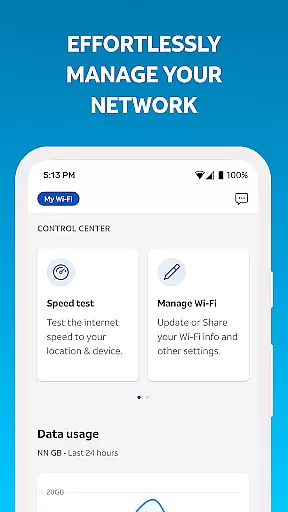
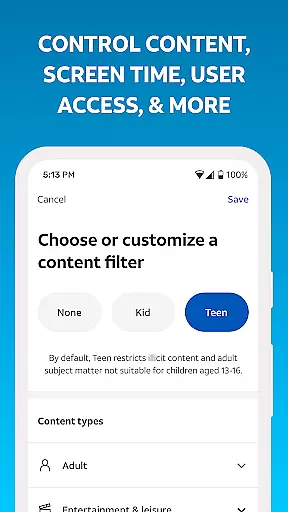
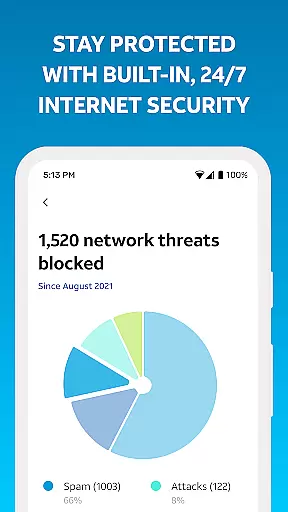
Smart Home Manager is a productivity-focused application designed to simplify and enhance the management of your home network. The app provides an intuitive interface that allows AT&T Internet customers to set up and manage their Wi-Fi gateway effortlessly. With features like technician-free troubleshooting, personalized device naming, and parental controls, it ensures optimal performance and security for your home network.
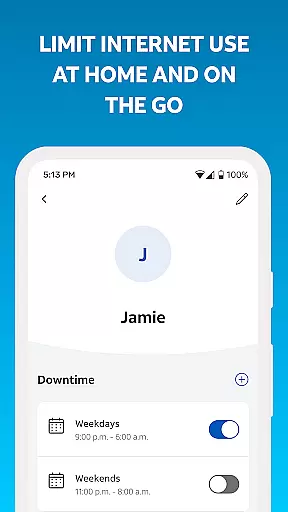
This app is particularly beneficial for families looking to manage screen time and maintain a healthy digital environment. Users can pause Wi-Fi access for specific devices, create downtime schedules, and set parental controls. Additionally, the app offers tools to test internet speed, identify weak signal areas, and monitor network health, making it an essential tool for maintaining a robust home network.
Smart Home Manager stands out with its comprehensive suite of network management tools. One of its key features is the ability to troubleshoot network issues without needing a technician, saving users time and resources. The app also allows users to easily view and update their Wi-Fi network name and password, ensuring network security.
Another notable feature is the capability to personalize device names and see what's connected to your network. This helps in keeping track of all devices within your home. Moreover, the app enables users to create profiles and manage screen time by setting parental controls and downtime schedules. These features collectively ensure a tailored and secure networking experience, enhancing both productivity and control over home internet usage.
Smart Home Manager excels in core task management by offering a centralized platform to handle various aspects of your home network. The app allows users to easily view and update their Wi-Fi network name and password, ensuring that security measures are always up-to-date.
With features like the ability to see what's connected to your network and personalize all your device names, it simplifies the complexity of network management into straightforward tasks. This makes it accessible even for those who may not be tech-savvy.
The app also enables the creation of profiles and setting parental controls as well as downtime schedules, empowering parents to manage their familyu2019s screen time effectively. These capabilities ensure that managing digital well-being is integrated into everyday life seamlessly.
Cross-device synchronization is where Smart Home Manager truly shines, providing reliable and consistent updates across all connected devices within the home network. Users can pause Wi-Fi access for any device, which is particularly useful during family time or when certain devices should not be in use.
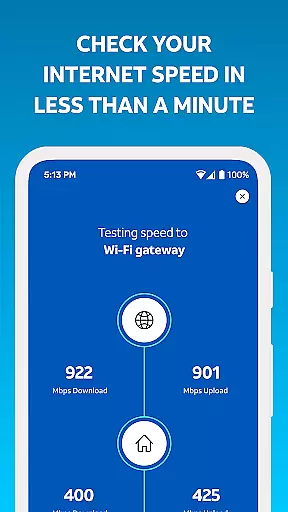
Testing the Internet speed to your Wi-Fi gateway and pinpointing weak signal spots throughout your home are additional functionalities that contribute to maintaining an optimal network environment. This ensures that every corner of your living space has adequate coverage, enhancing user experience.
Moreover, the app keeps you informed about your network health, notifies you of issues and service outages, and allows you to restart your Wi-Fi gateway remotely. Such comprehensive oversight guarantees uninterrupted connectivity and peace of mind for all household members.
User-friendly interface
Comprehensive network tools
Technician-free troubleshooting
Customizable device settings
Effective parental controls
Limited to AT&T customers
Gateway model dependent
Home Wi-Fi only
No offline functionality
Requires User ID login

When you Focus, so will your Bean in this cozy focus timer
 4.30
4.30
Total remote control for your Android device, PC and cloud services (IFTTT)!
4.20
⏰ Finally a timer app which can run multiple timers simultaneously on your watch
3.90
App lock - lock apps with fingerprint, password, pin or pattern, protect privacy
4.70
Functional QR scanner and barcode reader that requires little storage space.
4.60
A simple Whisper AI keyboard for reliable speech transcription and rewording
4.60
Lightweight PDF, Word, Excel reader.
4.60
Set up, print, and get support—in one place
4.20
Put a lock on your cloud: Take the security of your data into your own hands
3.70
Direct Chat without saving contacts & Dual WA Account on Single Device
4.70
The Pro Version of Android's tiniest Notepad app. Just 0.3MB but feature-packed!
4.60
Calendar 2023 widget for Android. Appointment scheduler, planner, and reminder
4.60
Translate text/voice/photos in 150+ languages. Offline & fast translator app.
4.50
A lightweight JSON & XML files creator, editor and viewer (Premium Version)
4.40
Access, manage and transfer files on Android, PC, Mac, NAS and cloud storages.
4.30
Professional calendar app for Google Calendar, MS Outlook & Exchange
4.20
Create and edit presentations with Google Slides, part of Google Workspace.
4.00
All in one sketching tool. Technical and General drawing. Online Maps support.
3.70
Find and delete junk files & block unwanted notifications & manage files
3.70


User Reviews