

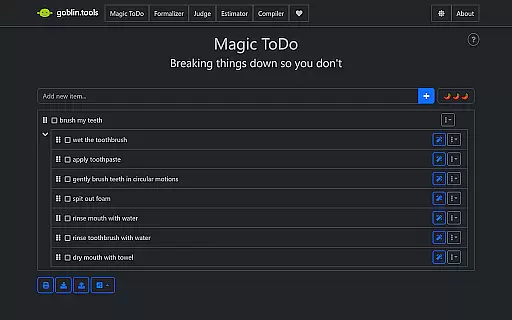
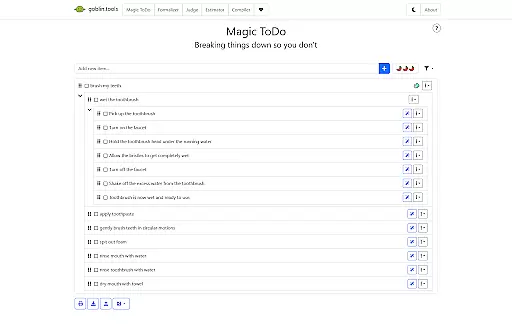
Goblin Tools is a productivity app designed to simplify everyday tasks through a collection of small, intuitive tools. Tailored especially for neurodivergent individuals, it offers solutions for task management, communication, and decision-making. The app's unique approach helps users break down complex challenges into manageable steps, making it invaluable for those dealing with ADHD, autism, or executive dysfunction.
With features like Magic ToDo for task breakdowns, Formalizer for tone adjustment in texts, and Consultant for decision support, Goblin Tools provides clever helpers that make life easier. Available on mobile platforms, this app ensures accessibility and convenience, supporting users in both personal and professional settings.
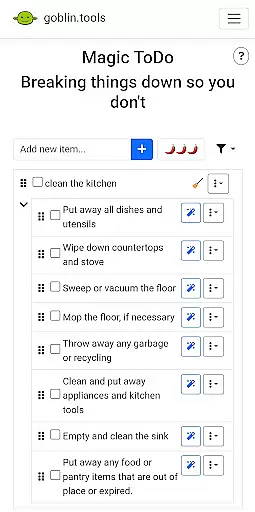
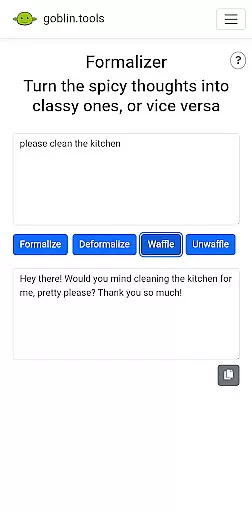
Goblin Tools stands out with its diverse range of features crafted to assist with various daily activities. Magic ToDo allows users to divide any task into smaller, more achievable steps, promoting productivity without overwhelming. The Formalizer tool instantly adjusts the tone of written communication, ensuring messages are conveyed appropriately.
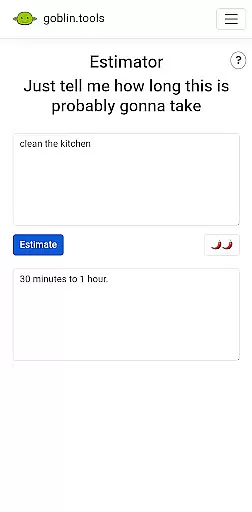
Additional features include Judge, which analyzes the emotion behind messages, and Professor, simplifying complex information for better understanding. Estimator provides rough time estimates for tasks, while Compiler organizes thoughts into actionable plans. Chef even creates recipes from available ingredients. Each feature is designed to untangle specific challenges faced by neurodivergent users, enhancing their ability to manage day-to-day activities efficiently.
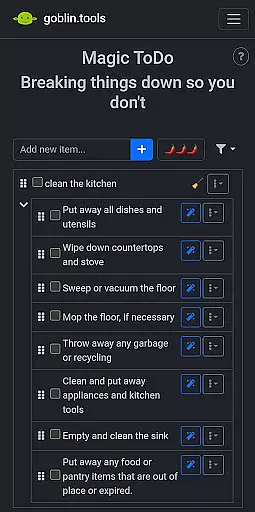
At the heart of Goblin Tools lies its ability to simplify complex tasks through innovative features like Magic ToDo. This functionality allows users to break down overwhelming responsibilities into manageable steps, promoting productivity without the stress.
The app's approach to task management is especially beneficial for neurodivergent individuals. By offering bite-sized, achievable actions, it creates a supportive environment for those dealing with ADHD, autism, and executive dysfunction, helping them maintain focus and momentum.
What sets Goblin Tools apart is how it integrates task management with other practical utilities. Users can not only organize their to-do lists but also utilize tools like Compiler to transform random thoughts into concrete actions, making their workflow more efficient and less daunting.
While Goblin Tools focuses on individual productivity, it understands the importance of seamless experiences across multiple devices. The app ensures that all your progress and customizations are reliably synced, allowing you to transition smoothly between your phone, tablet, or computer.
This synchronization feature is crucial for users who switch contexts frequently throughout their day. Whether you're compiling notes at home or estimating task durations on the go, the app maintains real-time updates so that no information is lost or delayed during these transitions.
Moreover, this reliability extends to collaborative settings too. When using tools like Consultant to make decisions or Formalizer to adjust communication tones, teams can trust that everyone accesses the same up-to-date data, enhancing both personal efficiency and group coordination.
User-friendly interface
Task simplification tools
Tailored for neurodivergence
Wide variety of features
Supports mental clarity
Limited advanced options
Not ideal for complex projects
Few customization settings
Requires frequent updates
Occasional bugs reported

Create study competitions, track your hours, and stay consistent with friends
 4.5
4.5
All in one sketching tool. Technical and General drawing. Online Maps support.
3.70
A simple, portable logger for POTA, SOTA, Field Day, and more
4.2
Remotely view listen control and record cameras.
3.70
Pwnagotchi companion app
4.20
A comprehensive suite of tools designed specifically for Lactation Consultants
4.3
Best Tool for the professionals Electrician, Electrical contractors, etc.
4.90
A beautiful digital clock with autostart and many other functions
4.70
Set up, print, and get support—in one place
4.20
8 custom complications. Custom Time Fonts. Beautiful color schemes. A++ Design.
5.00
Subscribe to Webcal & .ics calendars and keep them up-to-date!
4.50
Tally and goal counter for Wear OS & mobile
4.50
Experience Reading - Night Mode for Documents
4.40
A lightweight JSON & XML files creator, editor and viewer (Premium Version)
4.40
A Pixel Art watchface inspired by other iconic 90s designs for Wear OS devices!
4.40
Experience real multitasking on your Android!
4.00
Access your phone's notifications, calls, apps, photos & texts on your PC
3.90
ID.me Authenticator is a simple and free Two Factor Authentication solution
3.50
Code on-the-go with VScode for Android. Edit,debug and collaborate from mobile!!
3.10


User Reviews