

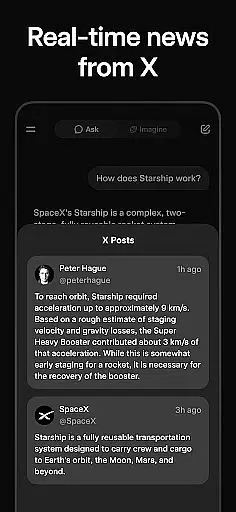
Grok is an advanced AI-powered assistant developed by xAI, designed to enhance productivity through its truthfulness, utility, and curiosity. This app allows users to ask any question and receive accurate answers, making it a reliable tool for both personal and professional use.
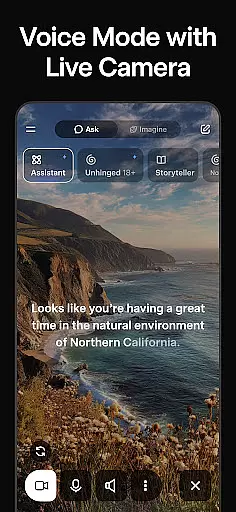
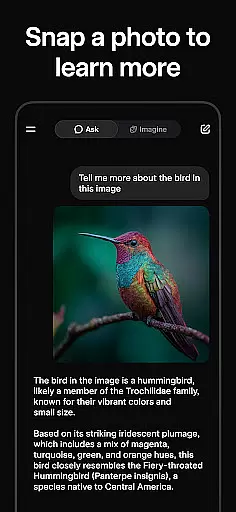
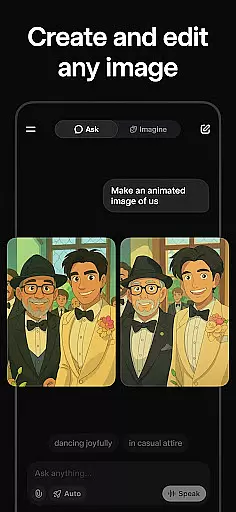
One of the standout features of Grok is its ability to generate striking images and videos, which can be utilized in various creative projects. Additionally, Grok supports natural voice conversations, providing a seamless user experience that mimics human interaction. Users can also upload pictures to gain deeper insights into their content, making it a versatile tool for understanding and organizing visual information.
Whether you need quick answers, creative inspiration, or assistance with complex tasks, Grok serves as a comprehensive productivity tool that empowers users to achieve more with less effort.
Grok stands out due to its multifaceted features that cater to a wide array of user needs. One of its primary capabilities is answering any question with high accuracy, ensuring users have access to truthful and useful information at all times.
In addition to text-based queries, Grok offers powerful multimedia generation tools. Users can create compelling images and videos effortlessly, which is particularly beneficial for content creators and marketers. The app's voice mode enables natural and fluid conversations, enhancing user engagement and accessibility.
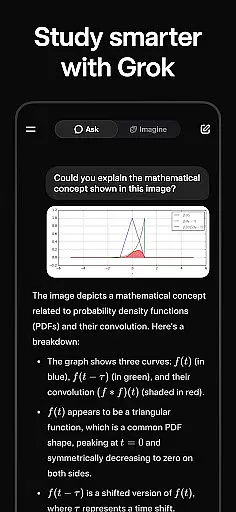
Grok also includes a unique feature that allows users to upload pictures and receive detailed analyses. This functionality is invaluable for professionals who need to understand visual data quickly and accurately. Overall, Grok's innovative features make it an indispensable tool for boosting productivity and creativity.
In the realm of productivity, effective task management stands as a cornerstone. Grok u2022 Smartest AI Advisor revolutionizes this aspect by integrating advanced AI capabilities to streamline your daily tasks. The app allows users to effortlessly organize their to-do lists, set reminders, and prioritize activities, ensuring nothing falls through the cracks.
Grok employs sophisticated algorithms to offer personalized suggestions, enhancing the way you manage projects and responsibilities. Its intuitive interface coupled with powerful automation features means that managing tasks becomes not only more efficient but also less of a chore. Users can easily categorize tasks, assign deadlines, and track progress in real time.
The true value of Grok lies in its ability to adapt to individual workflows, providing tailored insights that help optimize productivity. Whether it's for professional project management or personal organization needs, Grok equips users with the tools necessary to stay on top of their game. This ensures a seamless blend of work and life, making every day more productive than the last.
For individuals juggling multiple devices, reliable cross-device synchronization is paramount. Grok u2022 Smartest AI Advisor excels in this area, offering seamless integration across smartphones, tablets, and computers. This ensures that whether you're at home, in the office, or on the go, your data remains consistent and up-to-date across all platforms.
The synchronization process is powered by robust cloud technology, which guarantees that any changes made on one device are instantly reflected on others. This includes updates to task lists, calendar events, and notes, allowing for an uninterrupted workflow regardless of the device in use. Such reliability fosters a cohesive digital environment where information flows freely.
Moreover, Grok prioritizes security during synchronization, employing state-of-the-art encryption protocols to safeguard your data. This commitment to privacy and protection gives users peace of mind, knowing their sensitive information is secure. With Grok, staying organized has never been easier or safer, empowering users to focus on what truly matters without worrying about data discrepancies.
Highly accurate responses
User-friendly interface
Versatile multimedia tools
Natural voice interactions
Comprehensive image analysis
Limited offline functionality
Requires stable internet
Premium features may cost extra
Occasional response delays
Privacy concerns with uploads

QuickBooks Workforce lets teams view pay info and track time in one place.
 4.70
4.70
Unlock AutoNotification
4.00
Wake up & get tasks done! Add alarms & reminders on the Clock Launcher.
4.00
Direct Chat without saving contacts & Dual WA Account on Single Device
4.70
Simple and reliable communication between inmates, friends and family
3.20
Code on-the-go with VScode for Android. Edit,debug and collaborate from mobile!!
3.10
Access, manage and transfer files on Android, PC, Mac, NAS and cloud storages.
4.30
To do list widget with a notebook organizer, checklist, simple shopping list
4.60
Quickly and easily keep track of your work shifts
4.70
The AI assistant that thinks with you - write, code, and solve complex tasks
4.60
Functional QR scanner and barcode reader that requires little storage space.
4.60
Tally and goal counter for Wear OS & mobile
4.50
Pwnagotchi companion app
4.20
All in One PDF Reader: Manage, Read and Edit your Documents
4.20
Todo reminder
4.10
Font maker keyboard with your own handwriting
4.10
Mega cloud explorer plugin for Solid Explorer
3.80
Remotely view listen control and record cameras.
3.70
Easiest event planning, volunteer signups & parent teacher conference scheduling
2.20


User Reviews