
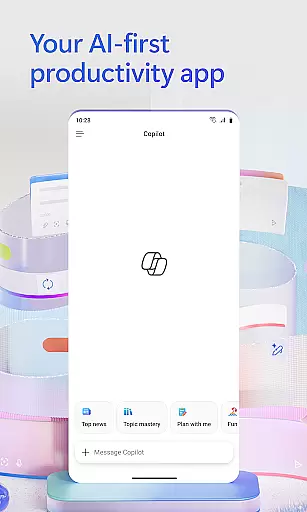
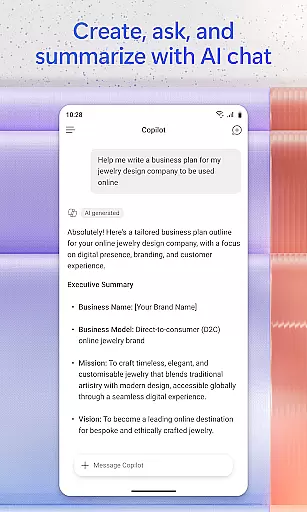
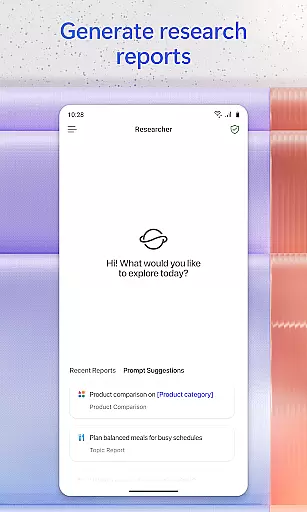
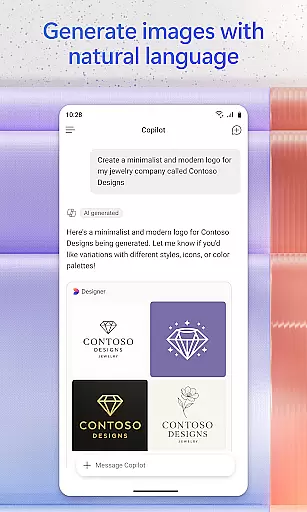
Microsoft 365 Copilot is an AI-powered productivity application designed to streamline tasks both at work and home. This app consolidates multiple functions into one platform, allowing users to communicate with an AI assistant, create and edit various types of content, scan documents, manage projects, and locate files efficiently. Whether you need to summarize a lengthy document, draft emails, or analyze spreadsheets, Microsoft 365 Copilot serves as your personal productivity partner.
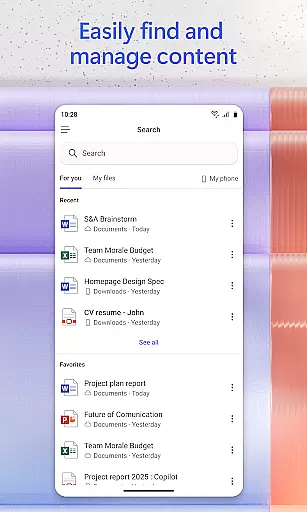
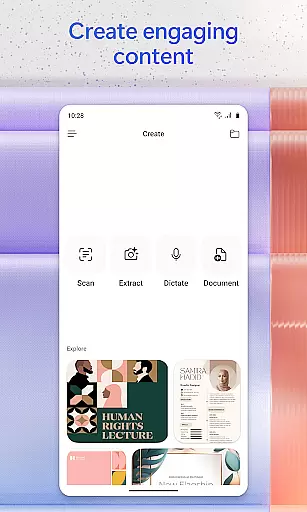
The app's voice interaction feature enables hands-free operation, perfect for multitasking or accessibility needs. With capabilities ranging from accelerating learning by explaining concepts to providing expert insights through specialized AI agents, the app supports diverse user requirements. Additionally, its powerful search function helps retrieve specific files quickly, while the content creation tools offer polished templates for images, videos, and more. These features collectively enhance productivity and simplify complex tasks.
Microsoft 365 Copilot stands out with its comprehensive suite of features tailored to boost efficiency. The AI assistant can interpret natural language commands to perform tasks like document summarization, email drafting, and spreadsheet analysis. Users can interact with the app through voice commands, making it convenient to prepare for meetings, seek information, or brainstorm ideas without needing to type.
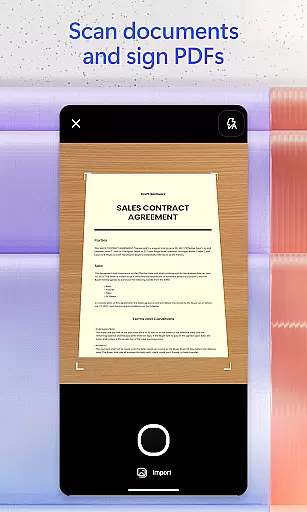
Beyond communication, the app excels in content management and creation. It allows scanning of documents and images directly via the mobile app, simplifying digitization processes. Project management becomes seamless with Copilot Notebooks, which organize ideas, documents, and links cohesively. Moreover, the app provides easy access to Word, Excel, PowerPoint, and PDF functionalities, enabling on-the-go editing and file management. These robust features ensure that users can accomplish more with less effort.
Task management is a cornerstone of productivity, and Microsoft 365 Copilot excels in providing users with the tools needed to manage their tasks efficiently. This app consolidates various elements of task management into one place, allowing users to create, edit, and organize content seamlessly.
With Microsoft 365 Copilot, you can easily upload Word, Excel, or PDF files from your phone's storage and get answers from Copilot. The ability to save Copilot-created files directly to your phone ensures that your workflow is uninterrupted and efficient.
The app also features Copilot Notebooks, which bring together ideas, documents, and links. By summarizing and connecting these elements, it simplifies project management and helps keep all necessary information at your fingertips.
Overall, Microsoft 365 Copilot's task management capabilities ensure that users can handle their responsibilities effectively, making it an invaluable tool for both work and personal projects.
Cross-device synchronization is vital for maintaining productivity across different platforms, and Microsoft 365 Copilot offers reliable and real-time updates to ensure consistency. Whether switching from a desktop to a mobile device, users can expect their data to be up-to-date and accessible.
Microsoft 365 Copilot allows you to sign in with your work, school, or personal Microsoft account, ensuring that your information syncs accurately across all your devices. This seamless integration means you can start a task on one device and continue on another without missing a beat.
In addition to document synchronization, the app provides access to Word, Excel, PowerPoint, and PDFs, all within a single interface. This unified approach streamlines the user experience and enhances productivity by reducing the time spent navigating between applications.
By prioritizing synchronization reliability, Microsoft 365 Copilot ensures that users have a dependable tool that supports their dynamic work environments, thus maximizing efficiency and convenience.
AI-Powered Assistance
Voice Command Support
Comprehensive File Management
Advanced Content Creation Tools
Seamless Integration with Microsoft Ecosystem
Limited Free Features
Requires Specific Licenses
Potential Privacy Concerns
Dependent on Cloud Storage
Occasional Feature Restrictions

Seamlessly integrate data and reports to build your presentation to impress
 4.80
4.80
Take control of your clipboard with Clipper!
3.90
Direct Chat without saving contacts & Dual WA Account on Single Device
4.70
Secure, fast, open-source, Remote Desktop Client for Windows and Linux with SSH
4.60
Simple and reliable communication between inmates, friends and family
3.20
Activate Two Factor Authentication (2FA or Multi OTP), Password manager and more
4.10
A comprehensive suite of tools designed specifically for Lactation Consultants
4.4
Secure your apps with lock screens, use custom themes and different features.
4.40
Intelligent AI Assistant
4.10
aCalendar+ makes your day, week and month
4.70
App Lock with fingerprint, password: Lock apps & hide photos with lock screens
4.60
Fill, sign & send docs, forms, agreements & contracts via electronic signature.
4.50
Subscribe to Webcal & .ics calendars and keep them up-to-date!
4.50
Enjoy classic gameplay with customizable features and retro-style graphics.
4.30
Experience real multitasking on your Android!
4.00
Wake up & get tasks done! Add alarms & reminders on the Clock Launcher.
4.00
Access your phone's notifications, calls, apps, photos & texts on your PC
3.90
A Revolutionary All-in-One Artificial Intelligence Tools
3.80
Create study competitions, track your hours, and stay consistent with friends
4.5


User Reviews