
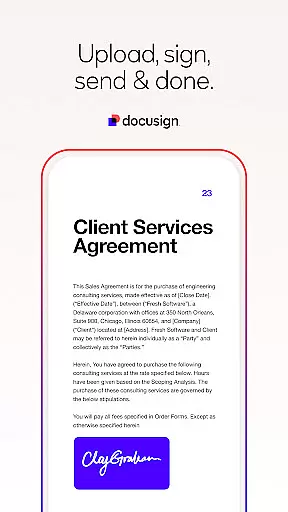
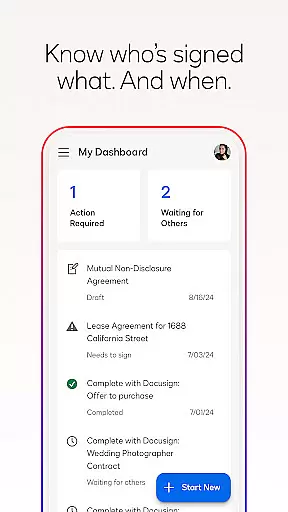


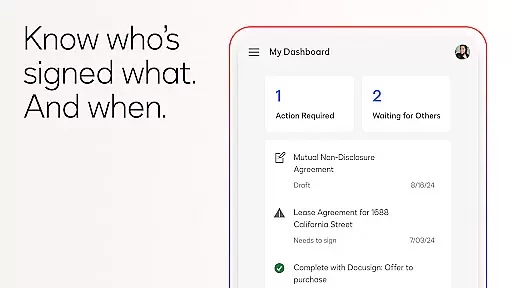

Docusign is a leading Intelligent Agreement Management solution that revolutionizes how businesses and individuals handle agreements. The app provides a secure and convenient way to send, sign, and manage documents from virtually anywhere, at any time, using most devices. Trusted by millions worldwide, Docusign offers unlimited free signing for all parties while ensuring legal compliance and document security.
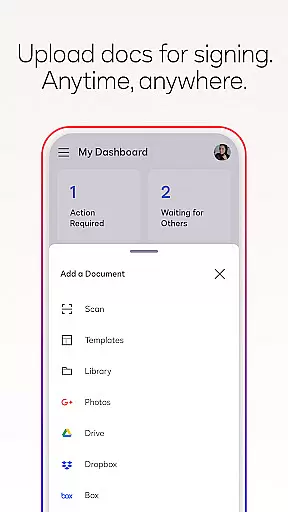
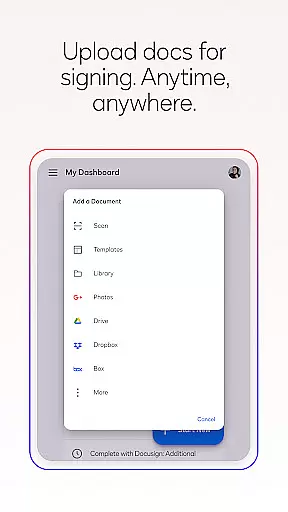
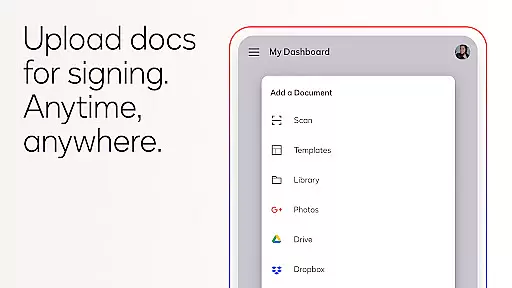
The platform supports various document types including PDFs, Word files, Excel sheets, and images. Users can upload files from multiple sources like Google Drive, Dropbox, or through photo scanning. With features such as 'Sign Here' tags, real-time push notifications, and responsive signing functionality, Docusign streamlines the entire agreement process, making it more efficient than traditional paper-based methods.
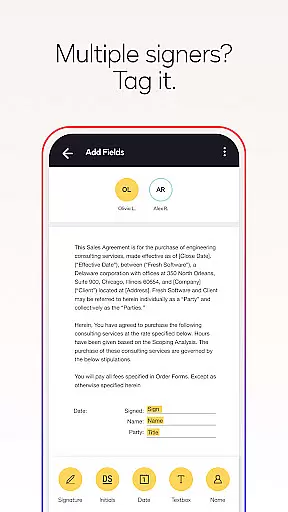
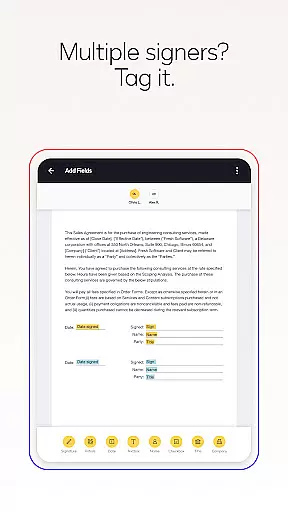
Docusign stands out with its comprehensive feature set tailored for seamless agreement management. The app allows users to create customized digital signatures directly on their devices and upload documents easily from various sources. Its streamlined interface lets users prepare documents with specific tags indicating where to sign or add information, supporting both in-person and remote signing.
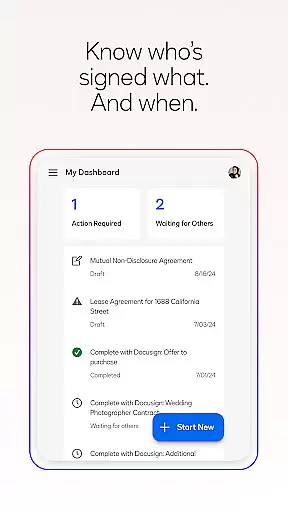
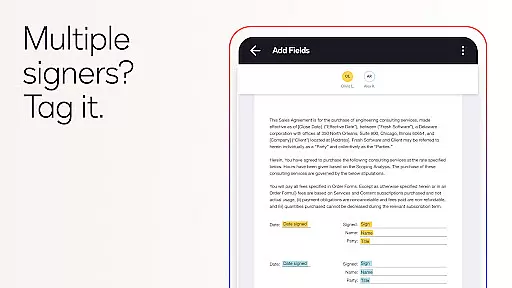
Advanced functionalities include setting signing orders for multiple signers, sending reminders, and voiding documents if needed. Real-time notifications ensure users are promptly informed about the status of their documents. Additionally, Docusign's compliance with the eSign Act guarantees legally binding agreements with complete audit trails and enhanced security through document encryption, offering peace of mind for sensitive transactions.
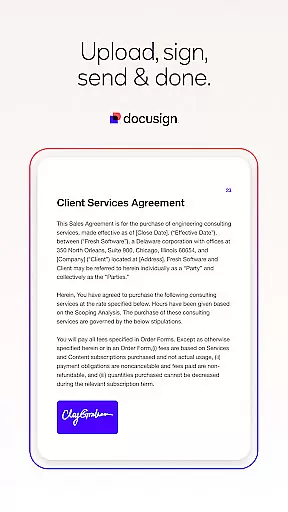
Task management is a cornerstone of productivity applications, and Docusign excels in this area by streamlining the agreement process. The app allows users to create customized digital signatures, upload documents from various sources, and prepare them for signature with intuitive 'Sign Here' tags.
Docusign's functionality extends beyond simple document signing. Users can set specific workflows for multiple signers, send reminders, or void documents directly from their devices. This comprehensive approach ensures that every step of the agreement process is managed efficiently and effectively.
The real-time push notifications provided by Docusign keep users informed about the status of their documents. Whether it's knowing when a document has been signed or tracking the progress of an ongoing agreement, these features contribute significantly to effective task management within the app.
Cross-device synchronization is vital for users who require access to their documents across multiple platforms. Docusign ensures reliable synchronization, allowing users to securely send and sign agreements from practically anywhere, at any time, and on almost any device.
The app supports various document types and formats, including PDFs, Word documents, Excel sheets, and images. This versatility guarantees that no matter which device a user chooses to work on, they will have a consistent experience without losing functionality or access to important files.
Furthermore, Docusignu2019s compliance with standards such as the eSign Act and ISO 27001 SSAE16 ensures that all synchronized data remains encrypted and secure. Users can trust that their legally binding agreements are protected regardless of where they're accessed or signed.
User-friendly interface
Legally compliant signatures
Secure document handling
Wide format compatibility
Real-time notifications
Limited free sending
Premium features costly
Subscription auto-renews
No cancellations mid-cycle
Basic plan limitations

QuickBooks Workforce lets teams view pay info and track time in one place.
 4.70
4.70
Direct Chat without saving contacts & Dual WA Account on Single Device
4.70
Planet Free VPN - The best Fast Unlimited and Secure VPN Without Logs
4.50
Send files, sync SMS, notifications & clipboard across devices via local network
4.40
Absolutely the best CNC machinist speed and feed calculator around. fswizard.com
4.60
Customizable calendar widget for seamless event sync, planning & scheduling.
4.00
App Lock with fingerprint, password: Lock apps & hide photos with lock screens
4.60
All document reader, all in one file viewer read PDF, DOCX, XLS, PPT, TXT files.
4.60
Seamlessly read, manage, and organize all your PDF files solution in one place
4.40
Scientific calculator for Android - looks and operates like the real thing!
4.90
Mind Map and brainstorm, note taking and idea collection
4.80
Use powerful, industry-leading AI tools to generate visual charts from any data
4.80
Understand anything with a personalized AI research assistant
4.80
Subscribe to Webcal & .ics calendars and keep them up-to-date!
4.50
Experience Reading - Night Mode for Documents
4.40
CalenGoo is a very flexible and feature-rich calendar app
4.40
Access, manage and transfer files on Android, PC, Mac, NAS and cloud storages.
4.30
Device's storage information in a simple and clear graphical form (infographics)
4.10
Experience real multitasking on your Android!
4.00


User Reviews