![Disk & Storage Analyzer [PRO] logo](https://cdn.linksharehub.com/ocp/?u=https%3A%2F%2Fl2.fancapitalize.com%2Fimages%2F2025%2F12%2Fe6da4367704733d389803d59b763e052.jpg&t=webp)
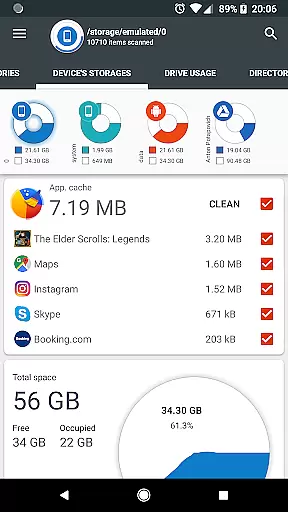
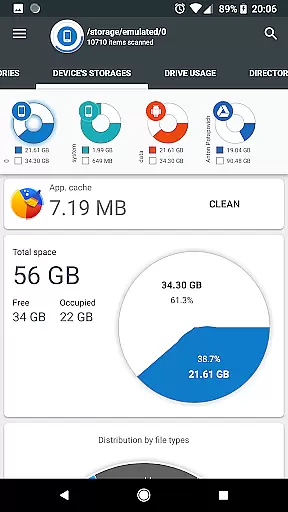
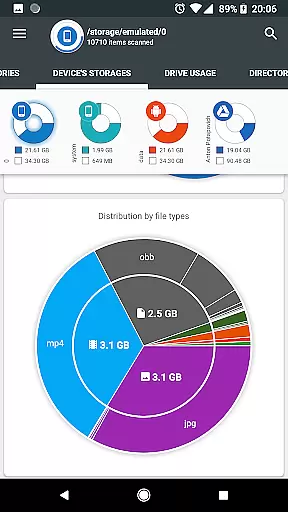
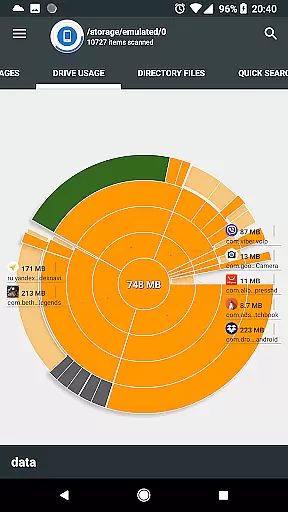
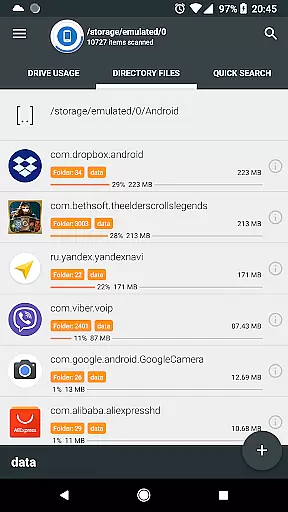
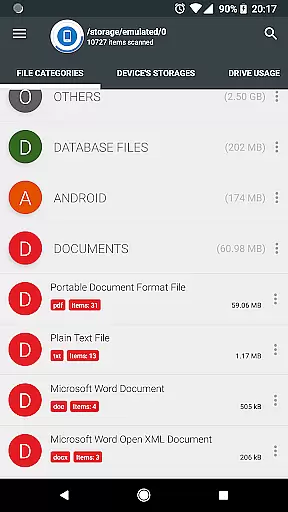
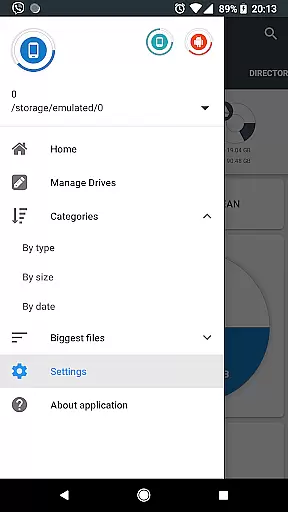
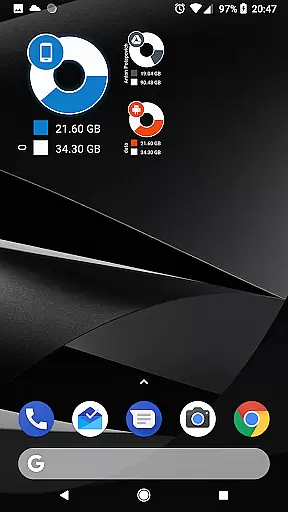
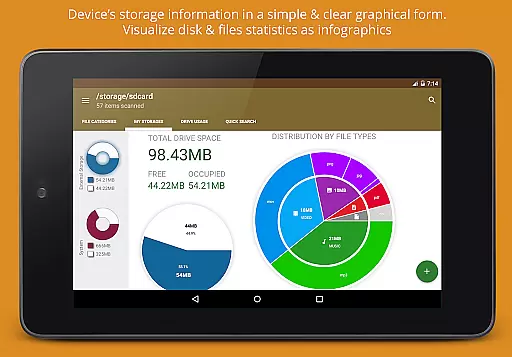
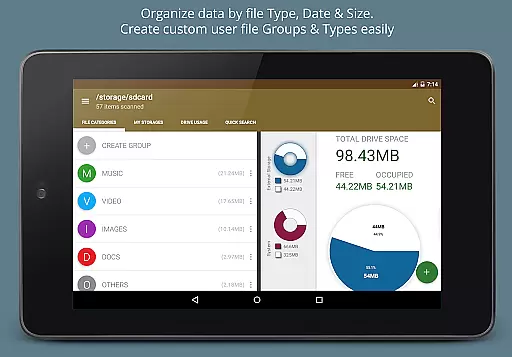
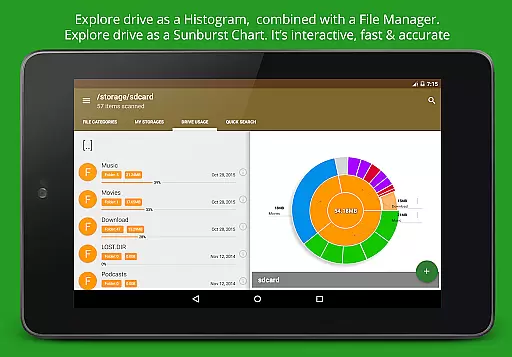
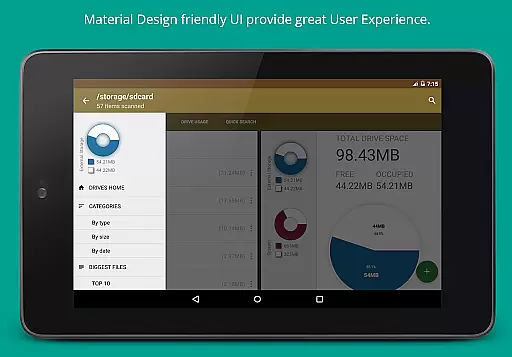
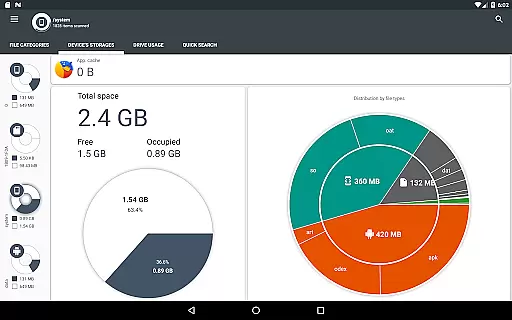
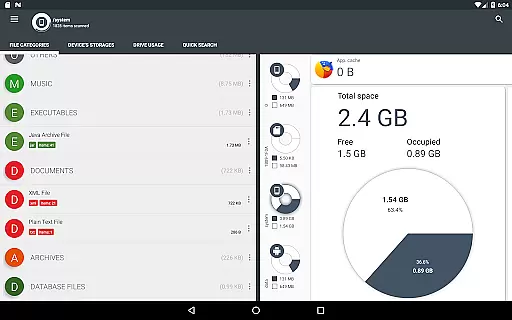
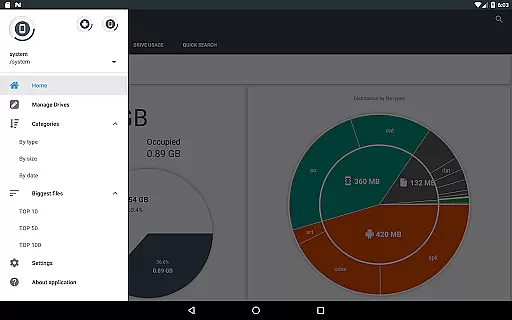
Disk & Storage Analyzer [PRO] is a comprehensive productivity tool designed to help users manage their device's storage efficiently. The app provides detailed insights into internal and external storage, USB devices, and cloud drives through intuitive infographics such as pie charts and sunburst diagrams. By analyzing file-specific data like size, path, and last modified date, it enables users to understand their storage usage clearly.
One of the standout features is its ability to connect with cloud services like Google Drive and Dropbox, allowing users to analyze cloud storage similarly to local storage. Additionally, the app offers tools for managing installed applications, including cache cleaning and app deletion based on size statistics. This makes it an essential utility for anyone looking to optimize their device's performance by freeing up space and organizing files effectively.
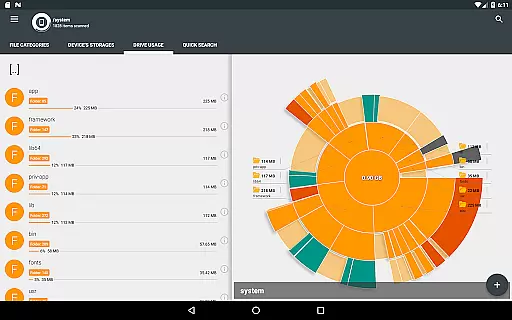
The Disk & Storage Analyzer [PRO] stands out with its robust feature set tailored for advanced storage management. It uses a hierarchical visualization system where folders and files are displayed in a Sunburst chart, sorted by size. This interactive chart allows users to click through nested levels, providing a granular view of storage distribution starting from the current directory.
Beyond local storage, the app extends its capabilities to cloud drives, indexing files for quick search functionality. Users can perform global searches across device and cloud storage, accessing results instantly. Files can be categorized not only by type (documents, videos, music) but also by size and date, offering multiple ways to sort and manage content. Additional functionalities include cache cleaning, app deletion, and even sharing or deleting files directly from the app interface, making it a versatile tool for both casual and power users.
Disk & Storage Analyzer [PRO] excels in core task management by offering users comprehensive tools to monitor and manage their device's storage effectively. The application provides detailed insights into file usage, categorizing data by type, size, and date, which empowers users to make informed decisions about their storage.
With functionalities such as cache cleaning and the ability to delete selected apps, this app ensures that users can reclaim valuable space on their devices without hassle. Its intuitive interface allows for seamless navigation through various storage categories, making task management straightforward and efficient.
The app's capability to display installed applications sorted by size and cache adds another layer of utility, enabling users to prioritize which apps to manage or remove. This feature is particularly beneficial for maintaining optimal device performance and storage capacity.
By integrating global search and quick access to files and categories, Disk & Storage Analyzer [PRO] streamlines the process of managing storage tasks. Users can swiftly locate and manage files across different storage types, enhancing productivity and ensuring that storage management is both effective and time-saving.
Cross-device synchronization is a critical feature for users managing storage across multiple devices, and Disk & Storage Analyzer [PRO] addresses this need with reliable functionality. By supporting connections to cloud drives like Google Drive, Dropbox, and Yandex.Disk, the app ensures that users can access and manage their files from any location, promoting flexibility and convenience.
The application reads file-specific data from connected cloud drives, building comprehensive statistics and visualizations that mirror the user's device storage. This synchronization capability allows for consistent and up-to-date insights, regardless of the device being used, thus maintaining coherence across all platforms.
Moreover, the app's indexing feature at startup guarantees that users have immediate access to their most recent files and categories, streamlining the synchronization process. This real-time update mechanism enhances the reliability of cross-device operations, providing users with peace of mind regarding their data's accuracy and availability.
By focusing on robust synchronization features, Disk & Storage Analyzer [PRO] ensures that users experience minimal discrepancies and maximum efficiency when managing their storage across different devices. This reliability fosters trust and satisfaction, making the app an indispensable tool for productive storage management.
Comprehensive storage analysis
Cloud drive integration
Cache cleaning functionality
Interactive Sunburst charts
No ads experience
Requires many permissions
Complex for beginners
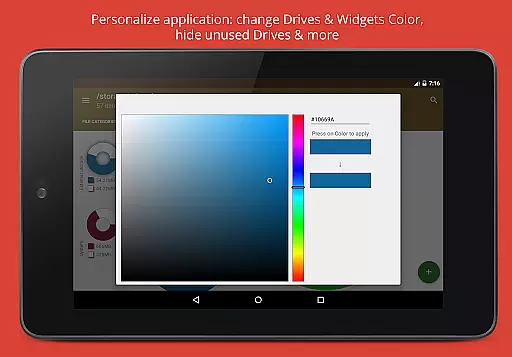
Limited UI customization
Premium version cost
Occasional force closes

 4.20
4.20
A Revolutionary All-in-One Artificial Intelligence Tools
3.80
Native client for Forgejo and Gitea
5.00
Mega cloud explorer plugin for Solid Explorer
3.80
IP Camera Viewer - Android TV : RTSP Surveillance camera viewer for Android TV
4.5
Pwnagotchi companion app
4.20
Font maker keyboard with your own handwriting
4.10
Simple and reliable communication between inmates, friends and family
3.20
ID.me Authenticator is a simple and free Two Factor Authentication solution
3.50
Quickly and easily keep track of your work shifts
4.70
Secure, fast, open-source, VNC and SSH Remote Desktop for Windows, Linux and Mac
4.70
A Pixel Art watchface inspired by other iconic 90s designs for Wear OS devices!
4.40
Easily read and manage all your PDF files
4.10
Activate Two Factor Authentication (2FA or Multi OTP), Password manager and more
4.10
Take control of your clipboard with Clipper!
3.90
Find and delete junk files & block unwanted notifications & manage files
3.70
Code on-the-go with VScode for Android. Edit,debug and collaborate from mobile!!
3.10
Experience and share your SolidWorks designs on your Android® phone and tablet.
2.50
The upgraded version of Name Wheel with AI and the power to add your own wheels.
4.2


User Reviews