
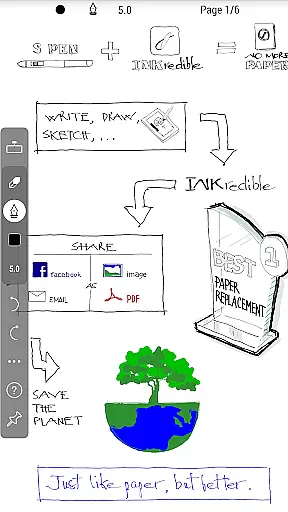
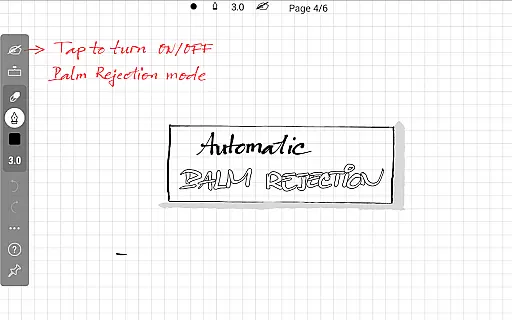
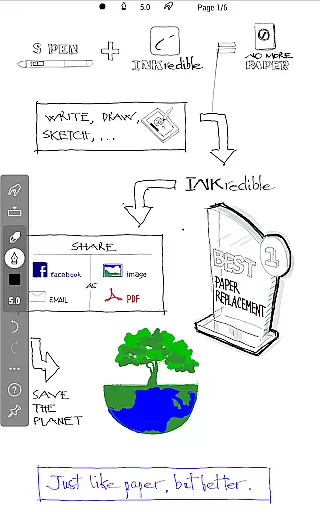
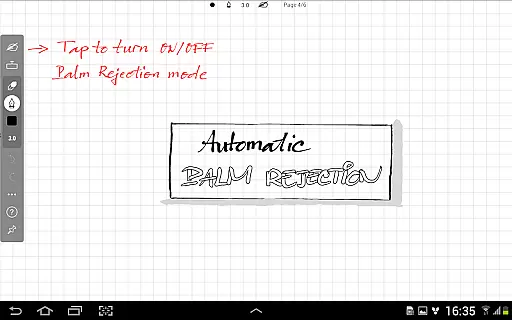
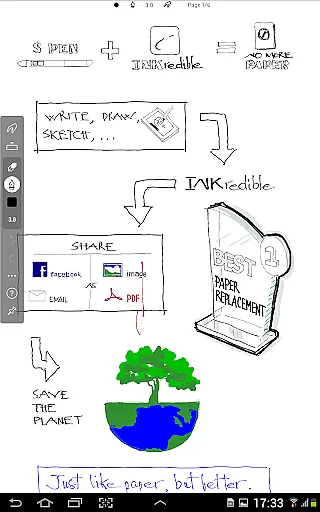
INKredible PRO is a premium productivity app designed to deliver an exceptional writing experience on tablets. This app includes all in-app purchase features of INKredible, offering users a $9 value at no extra cost, along with free future updates. With its advanced automatic palm and wrist rejection technology inherited from the popular Notes Plus app, INKredible PRO ensures that writing on a tablet feels as natural and fluid as using a pen on paper.
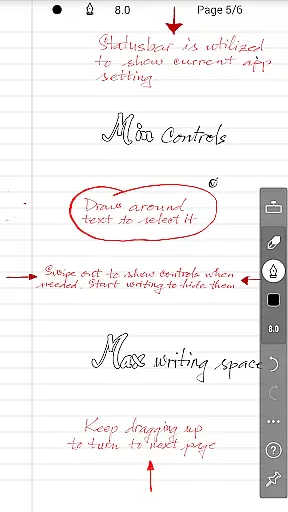
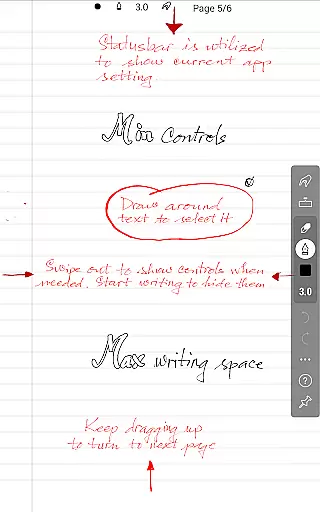
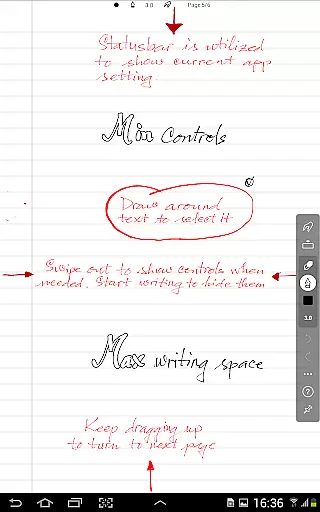
The app focuses on simplicity and beauty, providing a distraction-free environment where UI controls are hidden, allowing users to concentrate on their writing. Its cutting-edge vector-graphics inking technology makes handwriting look more elegant than on traditional paper and maintains quality at any resolution, making it ideal for both printing and digital display.
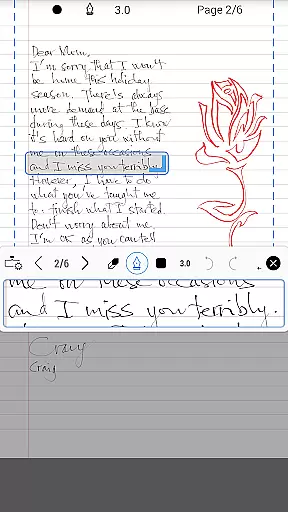
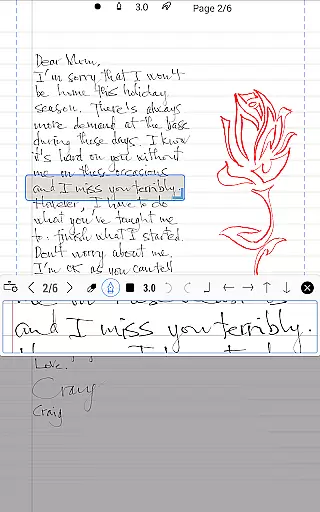
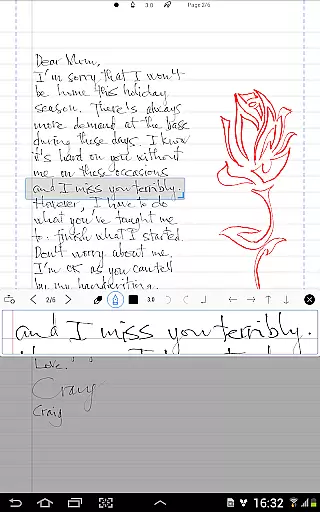
INKredible PRO stands out with its sophisticated manipulation of Bezier curves, ensuring that every stroke looks smooth and beautiful. The app's unique inking feature provides an unparalleled writing experience that closely mimics the feel of pen on paper, thanks to over three years of R&D in vector-graphics technology.
Users will appreciate the simplicity of the interface, which removes distractions by hiding UI controls, offering a clean slate for thoughts and ideas. Additionally, the app's zoom functionality highlights the precision of the handwriting, demonstrating why INKredible PRO is distinct from other note-taking applications.
Moreover, the app offers flexibility for various use cases, whether for academic, professional, or personal purposes, ensuring that notes taken today will look crisp and clear when printed or viewed in the future.
INKredible PRO excels in core task management by focusing on delivering an exceptional writing experience. The app strips away unnecessary distractions, presenting users with a clean slate that mimics the simplicity of pen and paper. This singular focus ensures that users can concentrate fully on their tasks without any digital noise.
The app's dedication to a distraction-free environment is evident in its UI designu2014or lack thereof. Most of the time, users will find themselves in front of what appears to be a blank sheet of paper, encouraging full immersion in the writing process. This approach not only enhances concentration but also makes task management more intuitive and less of a chore.
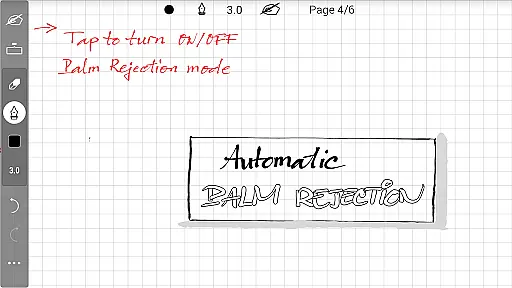
With features inherited from the popular Notes Plus app, INKredible PRO offers automatic palm and wrist rejection. This means users can write naturally without worrying about unintended touches affecting their work, making task management seamless and efficient.
Cross-device synchronization is a critical feature for users who operate across multiple platforms, and INKredible PRO does not disappoint. By ensuring reliable synchronization, the app allows users to start a note on one device and seamlessly continue on another, maintaining consistency and coherence across all their devices.
This reliability is powered by advanced cloud technology that securely stores and updates user data in real-time. Whether switching from a tablet to a smartphone or vice versa, users can trust that their notes will be up-to-date and accessible wherever they go.
Moreover, INKredible PRO promises free future updates, which means ongoing improvements and new features related to cross-device functionality. Users can look forward to an ever-evolving application that adapts to their changing needs while keeping their information synchronized and secure.
Advanced palm rejection
Beautiful handwriting rendering
Simple and intuitive UI
Free future updates
High-resolution support
Higher cost than basic version
Limited to tablet use
No additional productivity tools
Premium pricing model
Focused solely on writing

 4.20
4.20
The long-awaited modern gallery app for your Nextcloud server
4.70
Unlock AutoNotification
4.00
We're working to become the best machining app on the market! www.cncdirt.com
4.80
Activate Two Factor Authentication (2FA or Multi OTP), Password manager and more
4.10
Translate text/voice/photos in 150+ languages. Offline & fast translator app.
4.50
Subscribe to Webcal & .ics calendars and keep them up-to-date!
4.50
Experience and share your SolidWorks designs on your Android® phone and tablet.
2.50
Lightweight PDF, Word, Excel reader.
4.60
Great calculator for Android named one of USA TODAY's "25 Essential Apps".
4.90
Best Tool for the professionals Electrician, Electrical contractors, etc.
4.90
Quickly and easily keep track of your work shifts
4.70
Scan paperwork into PDF/JPG, generate your own e-signature and send fax or email
4.70
Client for Nextcloud Deck
4.60
Calendar 2023 widget for Android. Appointment scheduler, planner, and reminder
4.60
Professional calendar app for Google Calendar, MS Outlook & Exchange
4.20
A Revolutionary All-in-One Artificial Intelligence Tools
3.80
Easiest event planning, volunteer signups & parent teacher conference scheduling
2.20
IP Camera Viewer - Android TV : RTSP Surveillance camera viewer for Android TV
4.1


User Reviews