
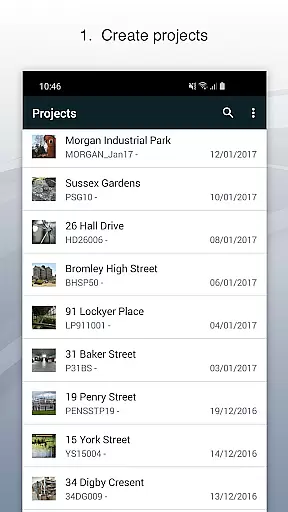
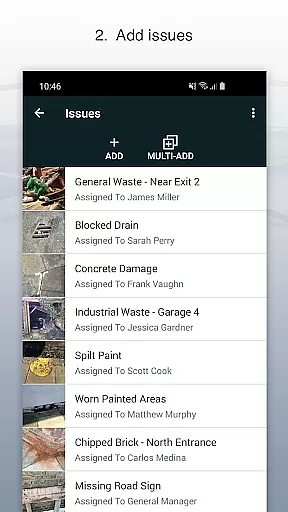
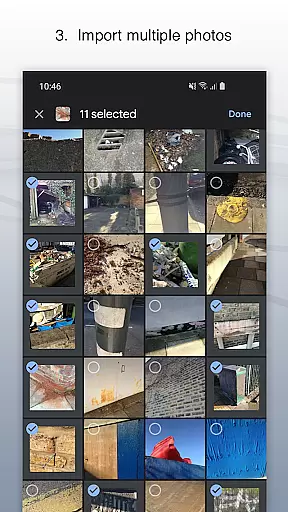
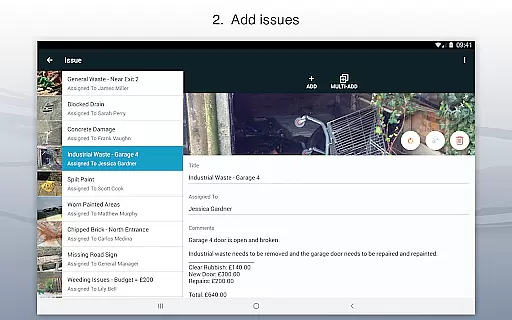
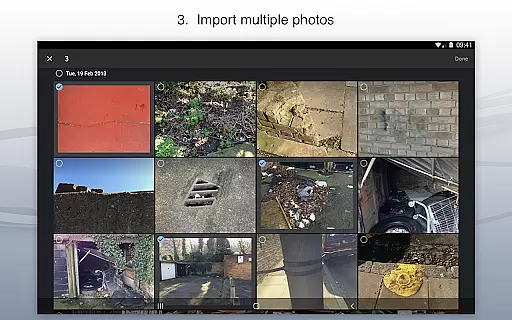
Site Audit Pro is a powerful productivity tool designed to simplify the auditing process for businesses across various industries. This mobile application allows users to efficiently record issues by capturing photos, adding relevant titles, assigning tasks, and including detailed comments. The app's intuitive interface enables users to annotate images, highlighting critical information directly on the photos.
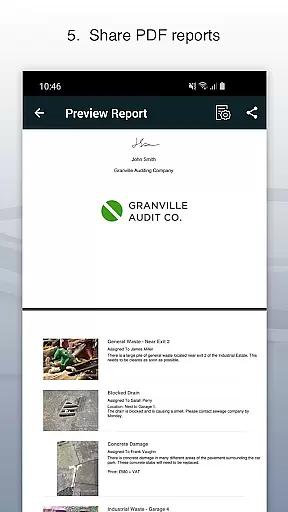
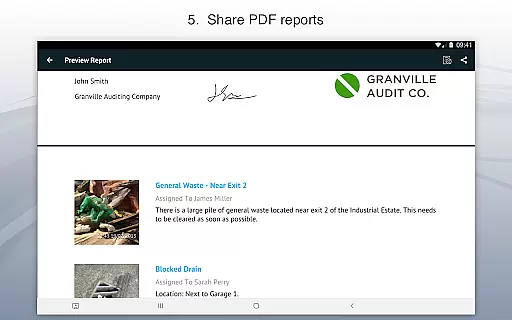
The application supports project-based organization, letting users categorize identified issues into specific projects while incorporating essential site and client details. One of Site Audit Pro's standout features is its ability to instantly generate and share professional audit reports in PDF format via email or cloud services like Dropbox. This functionality eliminates the need to return to the office for report creation, significantly enhancing operational efficiency.
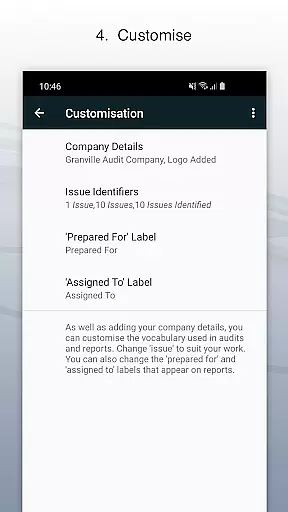
With over 40,000 businesses worldwide relying on Site Audit Pro, the app proves particularly valuable for safety inspections, snagging lists, punch lists, and quotation preparation. Its customizable reporting options allow companies to add personal branding elements such as logos and signatures, making each report uniquely professional and tailored to specific industry requirements.
Site Audit Pro distinguishes itself through its comprehensive feature set designed to streamline auditing workflows. The app's core functionality revolves around issue documentation, where users can capture high-quality photos and immediately add contextual information including titles, assignees, and detailed comments. The built-in photo annotation tool provides precise marking capabilities, enabling auditors to emphasize crucial areas within their captured images.
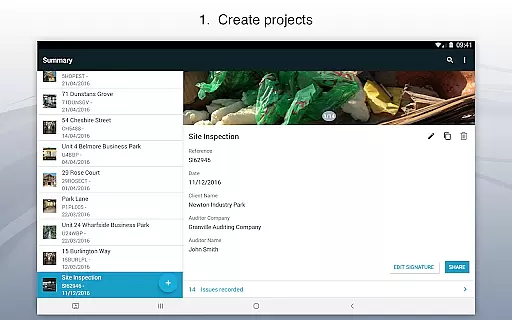
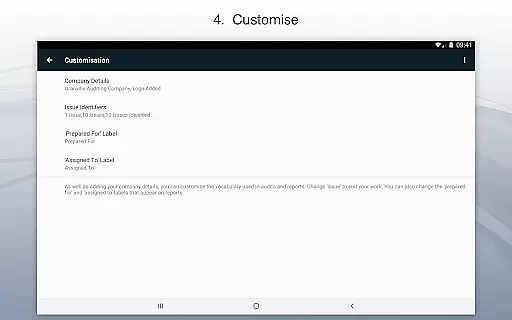
The application's project management system offers robust organizational tools. Users can create multiple projects, each with its own set of parameters including client information, site details, and specific requirements. This structured approach ensures that all collected data remains properly categorized and easily accessible. The app's reporting engine stands out with its customization options, allowing businesses to modify report language, incorporate branding elements, and choose from eight professional design templates.
What sets Site Audit Pro apart is its adaptability across different industries. The app's flexible terminology system enables users to customize report language to match their specific field, whether it's construction, manufacturing, or facilities management. Additionally, the instant report generation feature saves valuable time by enabling immediate sharing of findings without the need for desktop-based report compilation.
Task management is at the heart of productivity applications like Site Audit Pro. This feature allows users to efficiently organize and track tasks related to audits, inspections, and more.
Site Audit Pro enables users to record issues with accompanying photos, assign tasks to specific individuals, and add relevant comments. This structured approach ensures that every identified issue is properly documented and assigned for resolution.
The application goes a step further by allowing users to organize these tasks into projects. Each project can contain specific site and client details, making it easier to manage multiple audits or inspections simultaneously without mixing up data.
By streamlining task management, Site Audit Pro helps businesses improve their productivity. Teams can carry out audits and inspections quicker, and managing these tasks becomes significantly easier, saving both time and resources.
Cross-device synchronization is crucial for professionals who use multiple devices or need to collaborate with team members. Site Audit Pro ensures reliable synchronization across all devices, keeping everyone on the same page.
With this app, users can instantly share professional audit reports without needing to return to the office. The synchronization feature ensures that all data captured in the field is immediately available wherever it's needed.
Reports can be shared as PDFs via email, Dropbox, and other platforms. This seamless sharing capability is supported by robust cross-device sync, ensuring that all stakeholders have access to the latest information.
This reliable synchronization not only saves time but also enhances collaboration. Whether you're performing safety inspections, creating punch lists, or providing quotations, Site Audit Pro ensures your data is always up-to-date and accessible across all your devices.
User-friendly interface
Customizable reporting
Instant PDF generation
Photo annotation tools
Cross-industry adaptability
Limited free version
Subscription required
Occasional bugs
Learning curve
Internet dependency

Native client for Forgejo and Gitea
 5.00
5.00
Unlock AutoNotification
4.00
Pwnagotchi companion app
4.20
Subscribe to Webcal & .ics calendars and keep them up-to-date!
4.50
Access, manage and transfer files on Android, PC, Mac, NAS and cloud storages.
4.30
* block pre-roll ads, pop-up and forced redirect ads * Samsung certification app
4.00
A comprehensive suite of tools designed specifically for Lactation Consultants
4.1
Lightweight PDF, Word, Excel reader.
4.60
Simple notepad & memo. Take notes, to-do list, shopping list with reminders.
4.80
Scientific calculator for Android - looks and operates like the real thing!
4.90
Secure, fast, open-source, VNC and SSH Remote Desktop for Windows, Linux and Mac
4.70
The long-awaited modern gallery app for your Nextcloud server
4.70
Direct Chat without saving contacts & Dual WA Account on Single Device
4.70
To do list widget with a notebook organizer, checklist, simple shopping list
4.60
Experience Reading - Night Mode for Documents
4.40
Device's storage information in a simple and clear graphical form (infographics)
4.10
Access your phone's notifications, calls, apps, photos & texts on your PC
3.90
Smart PDF reader & editor to view, organize and manage PDF documents easily.
3.70
Easiest event planning, volunteer signups & parent teacher conference scheduling
2.20


User Reviews