
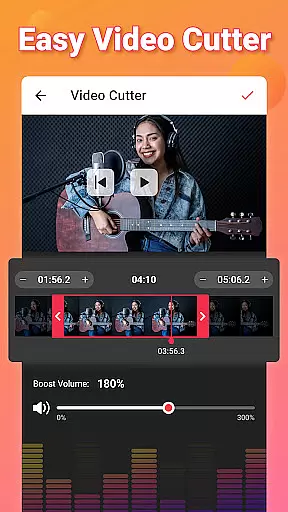
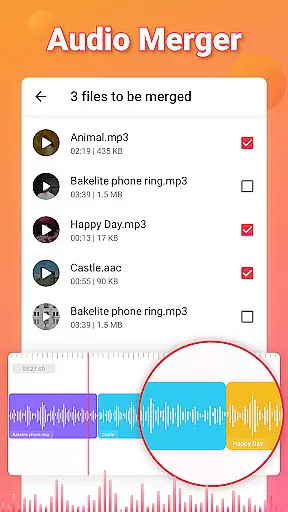
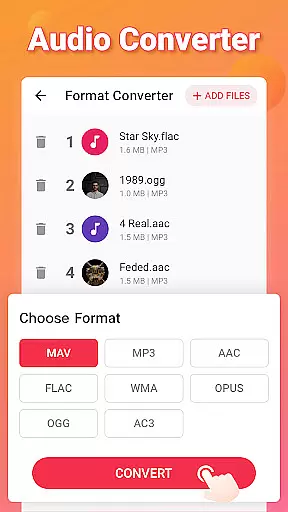
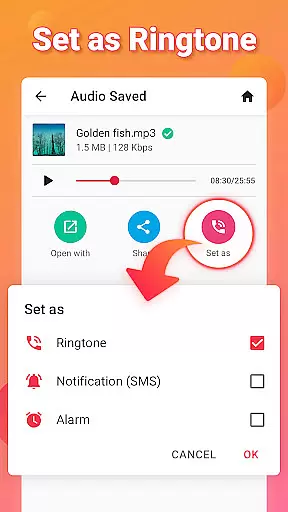
Video to MP3 is a versatile media conversion tool designed for both casual users and professionals who need to convert video files into high-quality audio formats. The app's core functionality lies in its ability to efficiently convert mp4 to mp3, extract audio from various video formats, and provide advanced editing features. Users can trim and cut video clips, merge multiple audio tracks, and even create custom ringtones with ease.
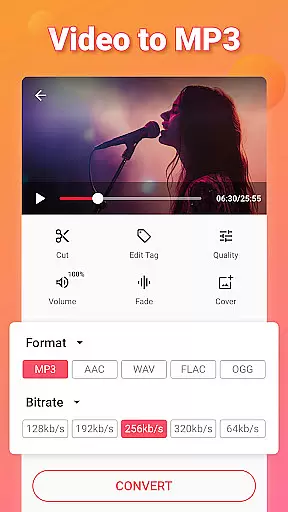
Beyond basic conversion, the app offers a comprehensive suite of tools including fade-in/fade-out effects, bitrate customization up to 320kb/s, and metadata editing for audio files. It supports batch processing of up to 15 videos simultaneously and maintains a wide compatibility with formats like MOV, MKV, AVI, MP3, WAV, and FLAC. This makes it particularly useful for content creators who need to repurpose video content into podcast-ready audio or create customized soundtracks.
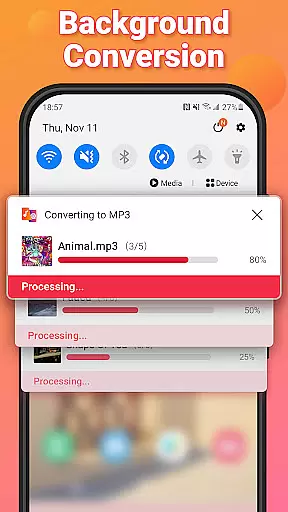
The application's value extends to its ability to function as an all-in-one media toolkit. Whether you're a social media manager extracting audio for posts, a podcaster converting video interviews to audio format, or simply someone who wants to create personalized ringtones, Video to MP3 provides a seamless solution. Its background conversion feature ensures that users can continue using their devices while processing large media files, making it an essential tool for efficient media management.
Video to MP3 distinguishes itself through its comprehensive feature set that goes beyond basic video-to-audio conversion. The app implements advanced parallel processing capabilities that allow users to convert multiple files simultaneously without significant quality loss. This is achieved through optimized codec handling and hardware acceleration support, ensuring that even 4K video files can be processed efficiently.
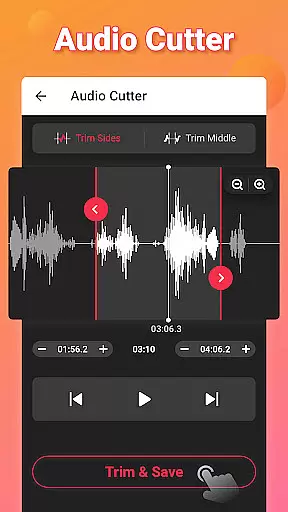
A key innovation is its integrated audio editing suite, which includes precise waveform-based cutting tools, volume normalization features, and customizable fade effects. The app's implementation of background conversion technology enables uninterrupted device usage during processing, while its batch processing system uses intelligent queue management to optimize resource allocation. These technical features are presented through an intuitive interface that simplifies complex operations.
The app's versatility is further enhanced by its extensive format support and conversion options. Users can not only convert between various video and audio formats but also fine-tune output settings including bitrate selection from 32kb/s to 320kb/s, channel configuration, and metadata tagging. The inclusion of professional-grade features like sound boosting and audio merging tools demonstrates the app's commitment to providing value across different user segments, from casual users to professional content creators.
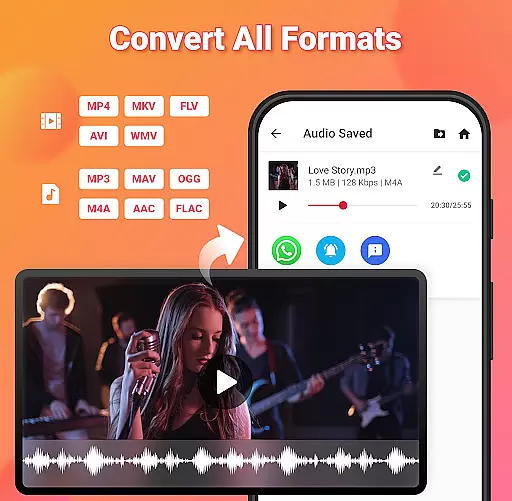
Video to MP3 stands out with its extensive video format compatibility, ensuring users can convert nearly any video file to audio. The app supports a wide array of video formats including MP4, MKV, FLV, AVI, and WMV, making it versatile for various user needs.
This broad compatibility is crucial for users who work with different video sources, allowing them to focus on content creation rather than format limitations. Whether you're converting MOV to MP4 or MKV to MP4, the process is seamless and efficient.
The application's ability to handle such a diverse range of formats not only simplifies the conversion process but also enhances accessibility. Users from different regions and technical backgrounds can easily utilize this tool without worrying about format support.
Ultimately, Video to MP3's comprehensive format compatibility empowers users to convert videos to audio effortlessly, supporting both common and specialized video formats. This flexibility ensures that no matter the source, high-quality audio extraction is always possible.
Beyond basic conversion, Video to MP3 incorporates AI-powered editing features that elevate the user experience. These include advanced options like sound boost, fade in and out effects, and bitrate settings ranging from 32kb/s to 320kb/s, providing users with professional-grade tools.
The inclusion of an MP3 cutter, audio merger, and video trimmer showcases the app's dedication to offering a complete editing suite. Such features allow users to customize their audio files precisely, catering to both casual listeners and audio professionals alike.
Moreover, the ability to edit tags such as Title, Album, Artist, and Genre adds another layer of personalization and organization to your music library. This feature ensures that converted files are not only high-quality but also properly cataloged.
By integrating these sophisticated AI-powered editing capabilities, Video to MP3 positions itself as more than just a converter; it's a comprehensive tool for anyone looking to manage and enhance their digital media library with ease and precision.
User-friendly interface
Batch conversion support
High-quality audio output
Extensive format compatibility
Free to use
Limited advanced editing
Occasional ads
No cloud integration
Basic video editing
Interface could be modernized

Powerful, professional, versatile teleprompter. Developed by an active film crew
 4.00
4.00
Create photo video with music & template. AI video maker for stunning slideshow.
4.60
HD video maker with no watermark, no ads & vlog maker with music, PIP, text
4.50
This app was created to edit the metadata of music files.
4.20
Download website videos fast&privacy
4.40
Movie maker & video editing app with AI effects and green screen
4.30
Browser + Remote for Roku to stream webvideos, online movies and livestreams
4.60
AI Video Editor with Music, Filter, Slideshow, Effect, Merge & Trim Video.
4.80
Viddo: Generate Action Figure, AI Anime, AI kiss, AI hug Video from image & text
4.40
An easy-to-use and all-round screen recorder with audio
4.80
A Quick and Pro Video Editor
4.70
Snaptubè Video Downloader app allows to download videos and music in Snaptube. .
4.60
Search & download videos from net with all video downloader, auto-detect & safe.
4.60
Fast & easy HD video downloader for all formats, support 4K playback & download.
4.60
Video Downloader, Multiple Resolution Options, Video Player
4.50
Fast & Private HD Video Downloader with Built-in Proxy Browser and Video Player.
4.50
KineMaster, Your Ultimate Video Editor!
4.40
Explore the largest library of free GIFs, Stickers & Memes - or create your own!
3.90
Client application for NextPVR software
3.00


User Reviews