
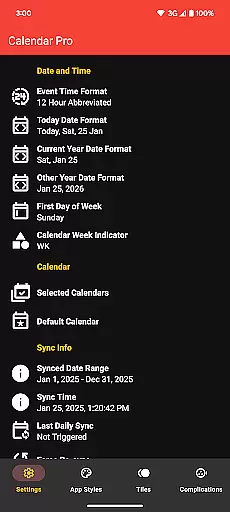
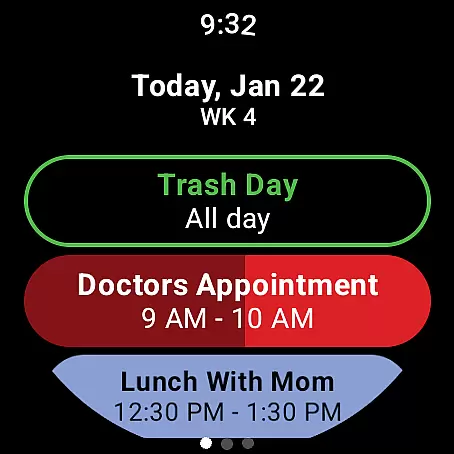
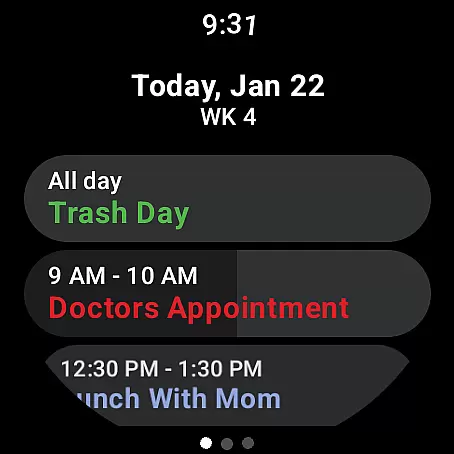
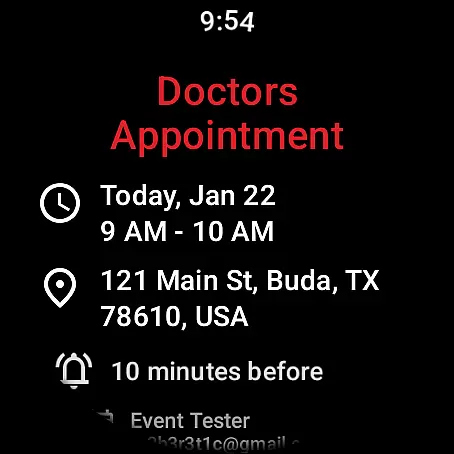
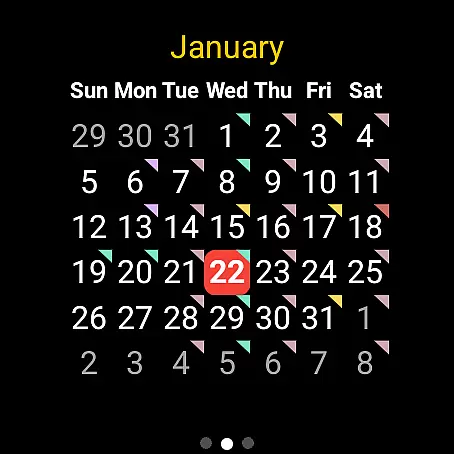
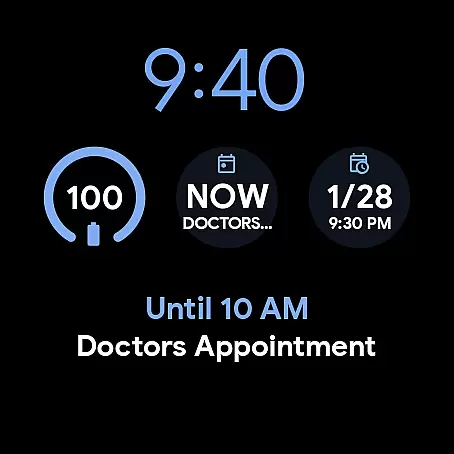
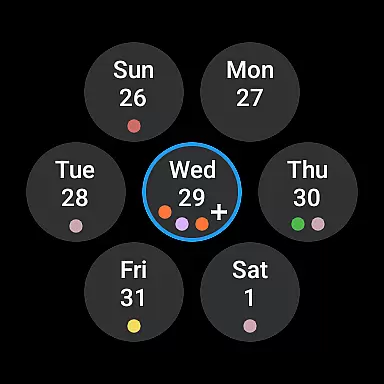
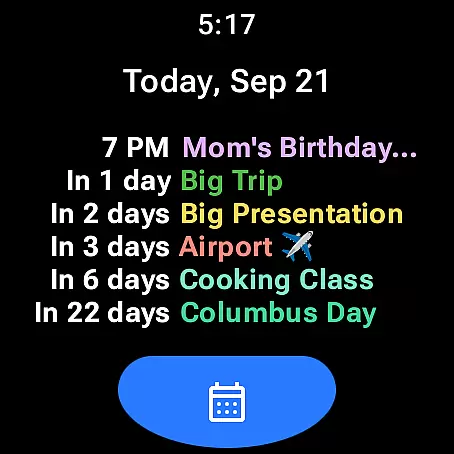
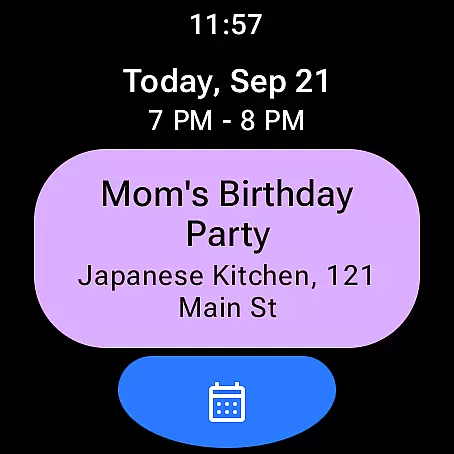
Calendar Pro for Wear OS is a comprehensive productivity tool designed to streamline your scheduling directly from your wrist. This app syncs all your phone calendars to your Wear OS watch, offering seamless access to the next 12 months of events.
With its intuitive interface, users can add, edit, and delete events directly from their smartwatch. The app provides customizable views including month calendar with event indicators, agenda, and various tiles like week view and next event preview. These features ensure you never miss an important meeting or appointment.
The true value of Calendar Pro lies in its ability to keep you organized on-the-go. Whether you're managing work commitments or personal activities, this app ensures your schedule is always accessible, making it an indispensable tool for busy professionals and active individuals.
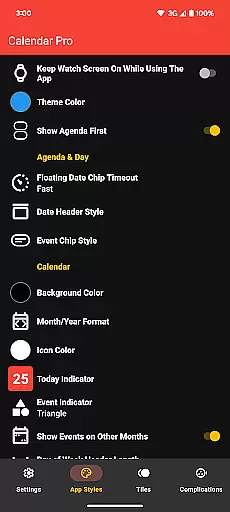
Calendar Pro stands out with its extensive customization options. Users can personalize nearly every aspect of the app's appearance and functionality, from theme colors to detailed calendar views.
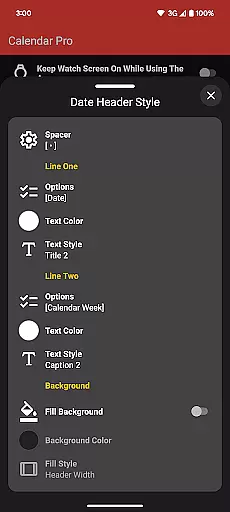
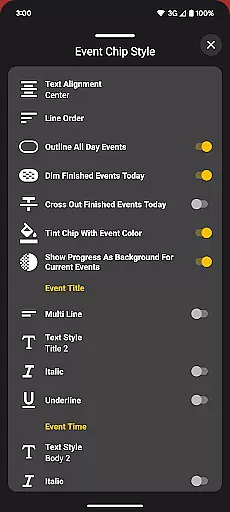
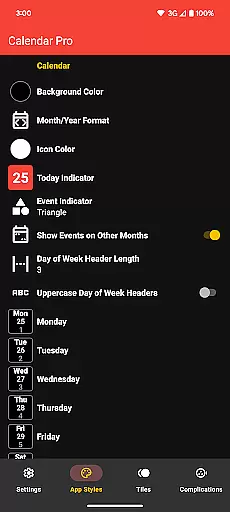
The month calendar offers customizations such as background colors, month/year format, and today indicator styling. Similarly, the agenda view allows adjustments to date header styles, text formatting for event chips, and options to dim finished events. These features create a tailored experience that matches your workflow and aesthetic preferences.
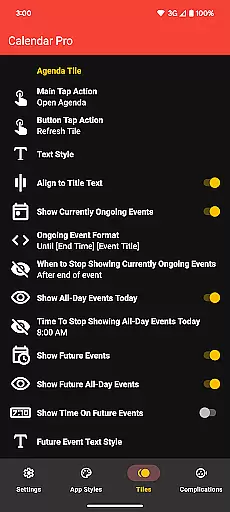
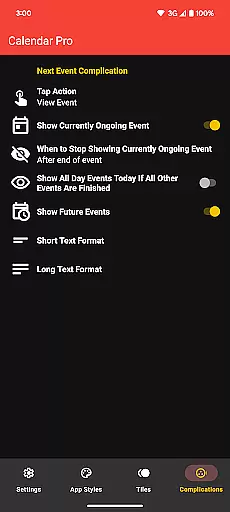
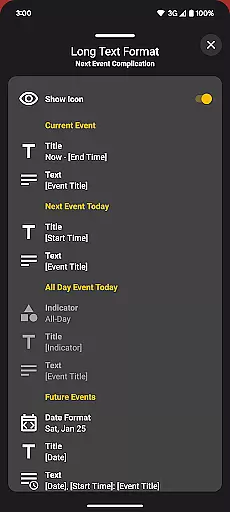
Advanced functionalities include multiple watch tiles and complications that display upcoming events at a glance. The next event complication supports both short and long text formats, while the agenda tile shows up to six events with customizable text styles. These innovations in wearable technology help users stay informed and efficient throughout their day.
Calendar Pro for Wear OS excels in core task management by offering users the ability to add, edit, and delete events directly from their Wear OS watch. This seamless interaction ensures that managing your schedule is not confined to your phone or computer.
The app syncs the next 12 months of events to your watch, providing a forward-looking view that helps in planning and prioritizing tasks effectively. With customizable month calendars and agenda views, users can tailor the interface to highlight what matters most to them.
Customizations extend to various elements such as background colors, date header styles, and event indicators. These options allow users to create an environment that best suits their workflow, enhancing both visibility and accessibility of their scheduled tasks.
Cross-device synchronization is a cornerstone of Calendar Pro's functionality, ensuring that all your calendars from your phone are reliably synced to your Wear OS watch. This synchronization covers Google Calendar, Outlook Calendar, Samsung Calendar, DAVxu2075, and ICSxu2075, offering wide-ranging compatibility.
Reliability is further enhanced through dedicated phone and watch apps, which must both be installed for full functionality. This dual-app system guarantees that updates and changes are consistently mirrored across devices, providing real-time access to your schedule.
Moreover, features like the Next Event watch complication and multiple calendar tiles ensure that you're always aware of upcoming commitments. Users can trust that their data remains current and accurate, regardless of which device they choose to consult.
User-friendly interface
Extensive customization
Real-time syncing
Multiple calendar support
No subscription model
Requires phone app
Limited Samsung support
Complex setup
Premium price
Watch storage impact

 4.20
4.20
Native client for Forgejo and Gitea
5.00
Android Wallet Password Manager
4.80
Send files, sync SMS, notifications & clipboard across devices via local network
4.40
A simple, portable logger for POTA, SOTA, Field Day, and more
4.3
We're working to become the best machining app on the market! www.cncdirt.com
4.80
Functional QR scanner and barcode reader that requires little storage space.
4.60
Secure your apps with lock screens, use custom themes and different features.
4.40
QuickEdit is a fast, stable and full featured text and code editor.
4.20
QuickBooks Workforce lets teams view pay info and track time in one place.
4.70
App lock - lock apps with fingerprint, password, pin or pattern, protect privacy
4.70
The AI assistant that thinks with you - write, code, and solve complex tasks
4.60
All document reader, all in one file viewer read PDF, DOCX, XLS, PPT, TXT files.
4.60
Calendar 2023 widget for Android. Appointment scheduler, planner, and reminder
4.60
Translate text/voice/photos in 150+ languages. Offline & fast translator app.
4.50
Share files & memories safely. Keep your photos and videos secure.
4.40
Automates browsing any website and notifies you of important changes or events
4.30
Todo reminder
4.10
Mega cloud explorer plugin for Solid Explorer
3.80


User Reviews