
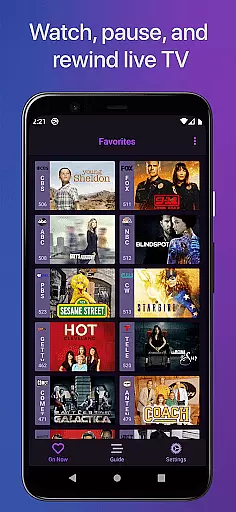
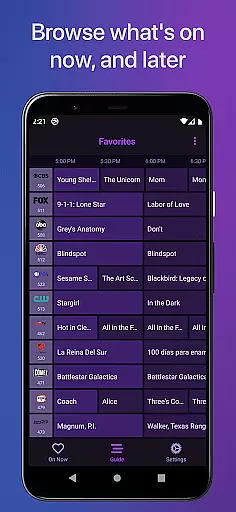
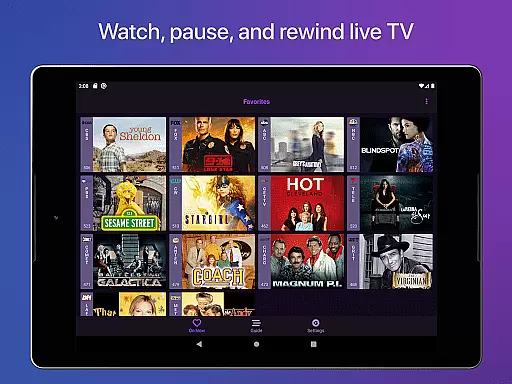
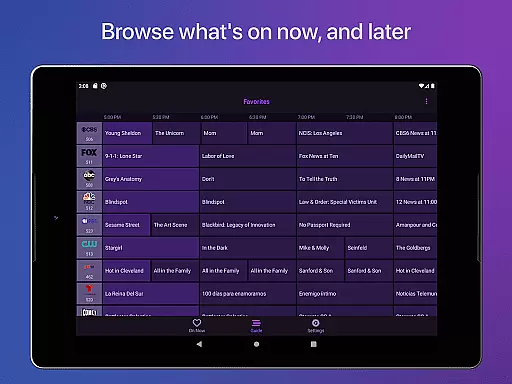
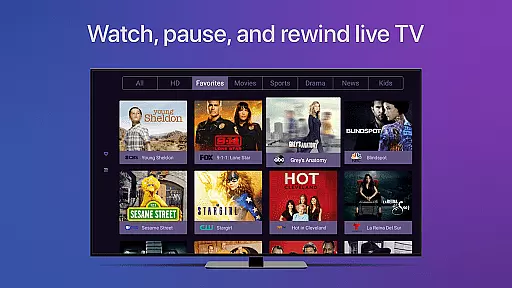
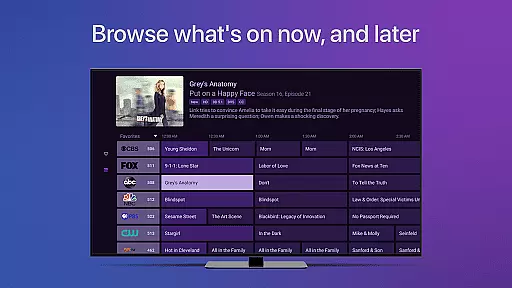
Channels for HDHomeRun is a versatile live TV streaming application designed specifically for Android users who own an HDHomeRun networked TV tuner. This app allows you to seamlessly watch, pause, and rewind both local and cable TV directly on your Android device. With its intuitive interface, Channels offers a full grid guide, Full HD streaming, 5.1 Surround Sound, closed captioning, and extensive VoiceOver support.
Beyond basic TV viewing, Channels enhances your experience with advanced features such as channel favoriting, jumping back to the last channel, and auto discovery of your HDHomeRun devices. You can also browse other channels while watching TV and manage your devices directly from the app. Whether you're looking to catch up on sports, news, or primetime TV, Channels integrates effortlessly into your digital lifestyle.
The app is particularly beneficial for households using a single antenna for multiple TVs or those wanting to save money by ditching cable boxes. By connecting your HDHomeRun tuner to your router, Channels enables you to stream live TV across any Android device within your home network, making it a convenient solution for modern entertainment needs.
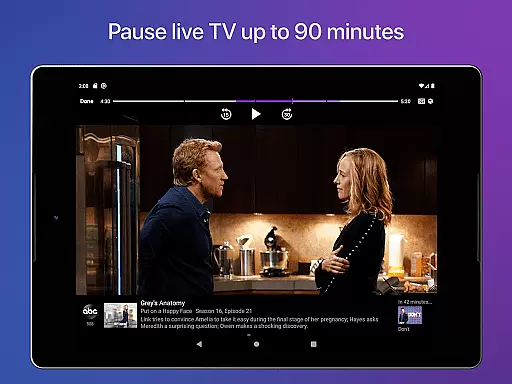
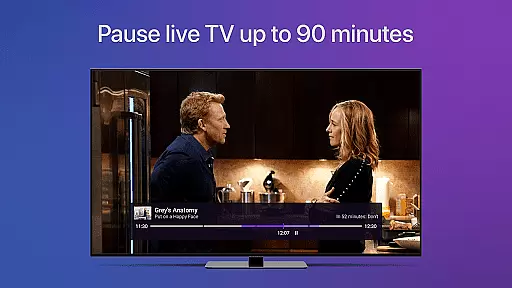
One of the standout features of Channels for HDHomeRun is its ability to provide a seamless live TV experience with functionalities like pausing, rewinding, and fast-forwarding live TV. The app supports Full HD streaming, ensuring that users enjoy high-quality broadcasts, provided their bandwidth allows it. Additionally, the inclusion of 5.1 Surround Sound and closed captioning makes it accessible and immersive for all viewers.
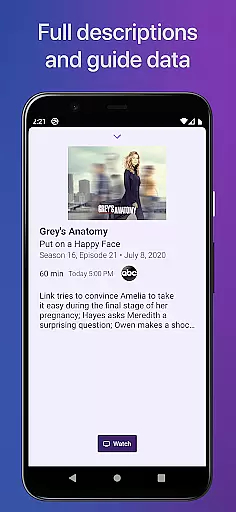
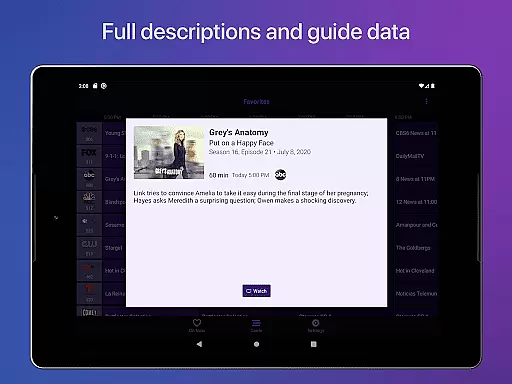
Channels goes beyond simple TV playback by offering a comprehensive electronic program guide (EPG) and a full grid guide, allowing users to easily navigate through their viewing options. The app's support for VoiceOver ensures that visually impaired users can also benefit from its features. Moreover, Channels provides practical tools such as channel favoriting, jumping back to the last channel, and auto discovery of HDHomeRun devices, enhancing user convenience.
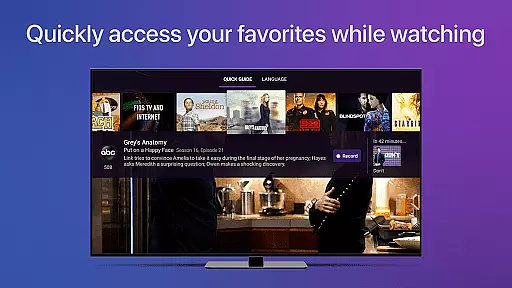
Another innovative aspect is the ability to browse what's on other channels while still watching TV. Users can manage their HDHomeRun devices directly from the app, adding an extra layer of control and customization. These features collectively ensure that Channels for HDHomeRun stands out in the realm of video player and editor applications, providing a robust and user-friendly platform for enjoying live television.
Channels for HDHomeRun offers extensive video format compatibility, ensuring users can stream live TV seamlessly on their Android devices. The app supports a wide range of formats, allowing you to enjoy both local and cable TV without worrying about codec issues.
The application leverages your home network's bandwidth to deliver Full HD streaming when conditions permit. This means that whether you're using an antenna or a cable connection, Channels will adapt to provide the best possible quality based on your network's capabilities.
In addition to high-definition video, Channels also supports 5.1 Surround Sound and closed captioning, enhancing the viewing experience. These features ensure that audio and visual accessibility needs are met, making it suitable for various user preferences and requirements.
By supporting all HDHomeRun devices, Channels guarantees that no matter which tuner model you own, you'll be able to access live television effortlessly. This versatility in device support underlines the app's commitment to delivering comprehensive video format compatibility.
While Channels for HDHomeRun focuses primarily on live TV streaming, it incorporates AI-powered features that enhance the overall user experience. Although not a traditional video editor, the app uses intelligent algorithms to optimize streaming quality and provide a buffer for live TV, allowing pause, rewind, and fast-forward functionalities.
The app intelligently manages the live TV buffer, which typically lasts up to 90 minutes depending on device storage. This feature effectively creates a temporary recording of live content, enabling users to pause and resume at their convenienceu2014a form of real-time editing that adds flexibility to live TV viewing.
Channels also utilizes AI to support VoiceOver, ensuring accessibility for visually impaired users. By integrating advanced accessibility APIs offered by the operating system, the app detects key presses on certain remotes, providing an intuitive control scheme that simplifies navigation and channel switching.
Furthermore, the app's ability to browse other channels while watching TV demonstrates its intelligent design. This multi-tasking capability allows users to make informed decisions about what to watch next, effectively serving as a smart guide that enhances the entertainment experience through AI-driven insights.
User-friendly interface
High-definition streaming
Comprehensive channel guide
VoiceOver accessibility
Device management tools
Requires HDHomeRun tuner
No DRM stream support
Network dependency
Limited external use
Premium subscription needed

Video Player - Unlimited features, 30 days money back guarantee.
 4.60
4.60
Play ALL formats in 4K & HD. Video downloader, MP3 player, Chromecast & more.
4.80
An easy-to-use and all-round screen recorder with audio
4.80
IPTV Player - Watch live TV from m3m & m3u8 playlist, stream IPTV on mobile
3.30
Download videos and play them offline
4.70
#1 Torrent App on Android ** No Ads Ever + Battery Saver **
4.80
A Simple app to download Video & Music from the Internet.
4.70
Powerful video player with advanced hardware acceleration and subtitle supports
4.20
Capture the moment and Cut
3.40
Pro video editor app for Instagram, edit video with song, AI, effect & slowmo.
4.80
Cast movies, tv shows and live streams to Chromecast, Roku, DLNA, Fire TV & more
4.60
Fast & Private HD Video Downloader with Built-in Proxy Browser and Video Player.
4.50
Turn your phone into a wireless camera!
4.20
Your media, on your terms.
4.10
Browser for Samsung TV to stream webvideos, online movies and livestreams in HD
4.10
1)AirPlay/DLNA Mirroring/Streaming, up to 4 connections; 2)Samba/NAS/DMS Player.
4.00
Stream Web Videos to Chromecast, Samsung, LG, Sony, Roku, Fire TV, DLNA + more
4.00
Client application for NextPVR software
3.00
Video player with powerful streaming playback and various convenient features.
2.10


User Reviews