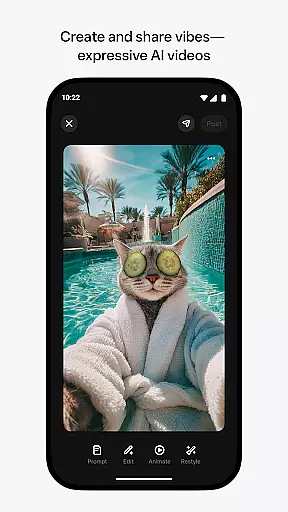
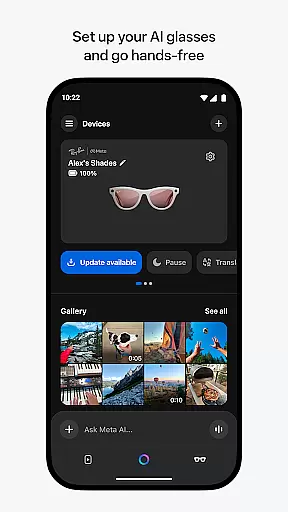
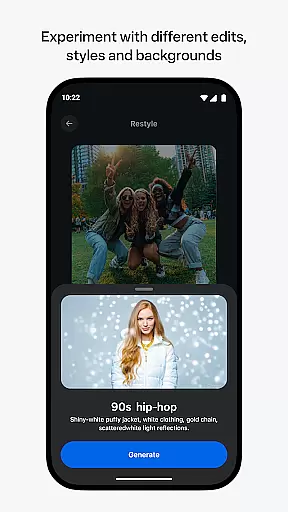
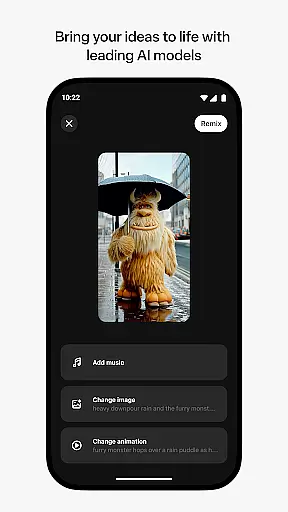
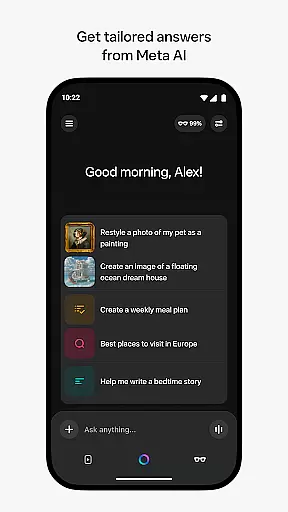
Meta AI is a productivity-focused application that empowers users to create and remix AI-generated videos with custom animations, music, and more. The app leverages industry-leading AI models to provide tailored answers and inspiration on-the-go, making it an ideal tool for creative professionals and casual users alike. With Meta AI, you can describe your desired video concept and experiment with various edits and styles to craft the perfect vibe. Additionally, the app serves as a companion for managing Meta AI glasses, enabling hands-free operation and seamless media management.
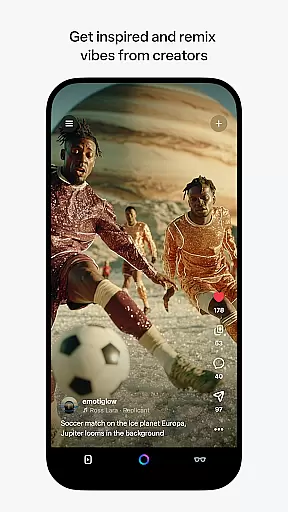
Beyond video creation, Meta AI offers a personal AI assistant accessible through voice or text. This feature provides quick answers and recommendations throughout your day, enhancing productivity. Users can also explore a feed of AI-generated content from other creators, instantly remixing these elements to generate new works. Whether you're looking to streamline daily tasks or unleash your creativity, Meta AI delivers a versatile platform designed to meet diverse needs.
Meta AI stands out with its robust set of features tailored for productivity and creativity. One of its core functionalities is the ability to generate AI-driven videos with custom animations and music. Users simply describe their vision, and the app brings it to life with multiple editing options and style variations. This feature is particularly beneficial for content creators seeking efficient ways to produce high-quality videos without extensive manual effort.
In addition to video creation, Meta AI includes a personal AI assistant that supports both voice and text interactions. This assistant provides tailored answers and recommendations, helping users stay productive throughout their day. The app also integrates seamlessly with Meta AI glasses, offering hands-free operation and advanced media management capabilities. By combining these features, Meta AI creates a comprehensive ecosystem that enhances both creative workflows and everyday productivity tasks.
Meta AI offers a robust platform for creating and managing AI-generated content, ensuring users can efficiently organize their creative projects. The app provides tailored answers and inspiration on-the-go, streamlining the workflow for professionals and hobbyists alike.
With features like custom animations, music, and more, users can describe their vision and let the AI assist in bringing it to life. This task management extends to remixing content from other creators, allowing for collaborative creativity and innovation within the Meta AI ecosystem.
The ability to pair and manage AI glasses adds another layer of productivity, enabling hands-free operation and seamless integration with other Meta products. This ensures that users can focus on their creative process without being hindered by technical limitations.
Cross-device synchronization is a cornerstone of the Meta AI experience, providing reliable access to industry-leading AI models across multiple devices. Whether you're at your desk or on the move, your projects remain accessible and editable, ensuring continuity in your creative endeavors.
This synchronization extends to the management of AI glasses, allowing users to import and share media effortlessly between their wearable tech and smartphones. Such reliability ensures that no matter where you are, your creative workspace is never out of reach.
While certain features roll out slowly over time and may be limited to specific countries and languages, the core functionality of Meta AI remains consistent and dependable. Users can trust that their work is securely backed up and available whenever they need it, enhancing both personal and professional productivity.
User-friendly interface
Advanced AI models
Versatile video editing
Personal AI assistant
Cross-device compatibility
Limited language support
Feature rollout delays
Requires Meta glasses
Premium subscription costs
Learning curve for beginners

A customizable calendar for your Wear OS watch
 4.20
4.20
Create study competitions, track your hours, and stay consistent with friends
4.2
Ads Free App! Editor, Hide File, Copy, Move, Delete and Rename.. all facility av
1.70
Planet Free VPN - The best Fast Unlimited and Secure VPN Without Logs
4.50
CalenGoo is a very flexible and feature-rich calendar app
4.40
Functional QR scanner and barcode reader that requires little storage space.
4.60
Secure, open-source, SPICE and SSH Remote Desktop for QEMU KVM virtual machines
4.00
Code on-the-go with VScode for Android. Edit,debug and collaborate from mobile!!
3.10
Quickly and easily keep track of your work shifts
4.70
Understand anything with a personalized AI research assistant
4.80
All document reader, all in one file viewer read PDF, DOCX, XLS, PPT, TXT files.
4.60
Send files, sync SMS, notifications & clipboard across devices via local network
4.40
All in One PDF Reader: Manage, Read and Edit your Documents
4.20
* block pre-roll ads, pop-up and forced redirect ads * Samsung certification app
4.00
Smart PDF reader & editor to view, organize and manage PDF documents easily.
3.70
Remotely view listen control and record cameras.
3.70
Find and delete junk files & block unwanted notifications & manage files
3.70
Auto-shutoff Alarm with Sunrise, Sunset & Fixed Options.
3.50
Experience and share your SolidWorks designs on your Android® phone and tablet.
2.50


User Reviews