
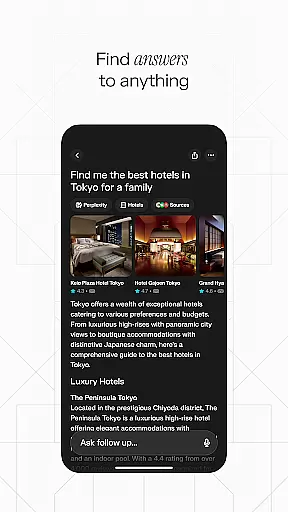
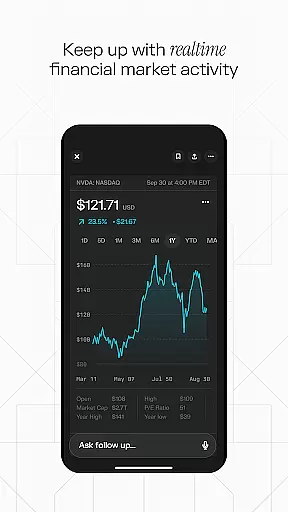
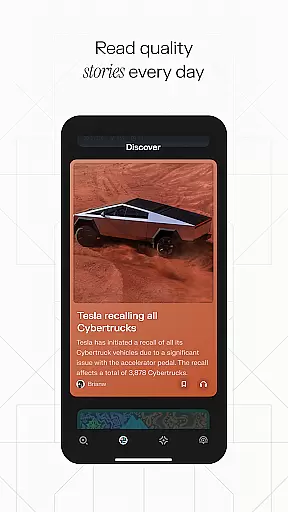

Perplexity is a productivity-focused AI search app that provides users with instant, credible, and up-to-date answers to their questions. By leveraging top AI models from OpenAI, Anthropic, Meta, and others, the app ensures reliable information at your fingertips. Its cross-device syncing capability allows for seamless access across multiple platforms, making it an essential tool for knowledge seekers.
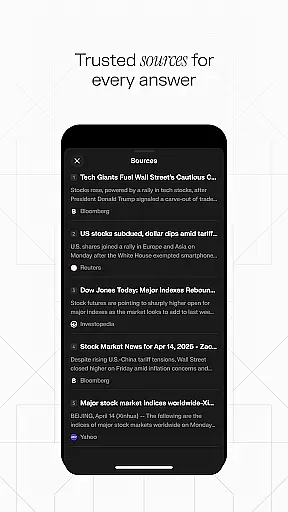
The app offers advanced features like Perplexity Pro Search for deeper exploration, Thread Follow-Up for extended conversations, and Voice support for hands-free queries. With cited sources for every answer, users can trust the information they receive. Whether you're conducting research, learning new topics, or organizing your discoveries in Your Library, Perplexity streamlines the process of gaining knowledge.
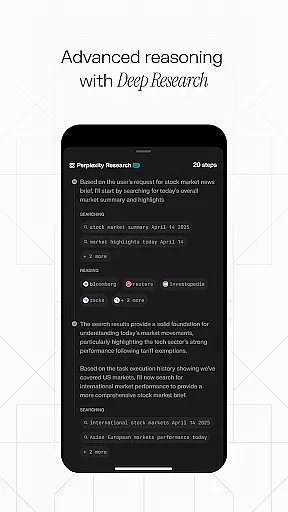
Perplexity stands out with its innovative features designed to enhance productivity. The Perplexity Pro Search function uses guided AI to help users explore topics more thoroughly, while Thread Follow-Up maintains conversational context for deeper understanding over time.
Voice integration enables users to ask questions verbally, providing flexibility and convenience. Every response is backed by cited sources, ensuring transparency and reliability. The Discover feature connects users with community-driven content, while Your Library serves as a curated space for organizing search history and notable findings. These capabilities make Perplexity a comprehensive tool for efficient knowledge management.
Effective task management is essential for productivity apps, and Perplexity excels in this area by offering a streamlined approach to organizing your knowledge journey. The app's Your Library feature acts as more than just a search history; it curates your discoveries, enabling efficient task tracking and resource management.
Perplexity goes beyond basic task lists by integrating AI-powered search capabilities. With Perplexity Pro Search, users can perform guided explorations that automatically organize relevant information, making complex research projects more manageable. This feature helps users maintain focus on their primary objectives while systematically collecting supporting data.
The app's Thread Follow-Up functionality revolutionizes how users manage ongoing research tasks. By maintaining contextual continuity across sessions, it eliminates the need to repeatedly reconstruct thought processes or search patterns. This creates a more fluid task management experience that adapts to the user's evolving needs.
In today's multi-device world, reliable synchronization is crucial for productivity applications. Perplexity delivers seamless cross-device functionality, ensuring that your research and discoveries are consistently available across all your devices. This synchronization capability maintains perfect parity between platforms, whether you're using a smartphone, tablet, or desktop computer.
The app's synchronization system operates in real-time, automatically updating your library and search history across devices without any user intervention. This ensures that your research progress is never lost and that you can seamlessly transition between devices while maintaining your workflow continuity. The instant updates feature provides peace of mind, knowing your work is always current regardless of which device you use.
Security is built into Perplexity's synchronization process, protecting your data during transmission and at rest. The app employs robust encryption protocols to safeguard your research materials and personal information while they're being synced between devices. This combination of reliability, speed, and security makes cross-device work both efficient and safe.
User-friendly interface
Accurate search results
Cross-device syncing
Voice command support
Trusted source citations
Limited offline functionality
Premium features require subscription
Occasional AI inaccuracies
Dependent on internet connection
Community content varies in quality

Professional calendar app for Google Calendar, MS Outlook & Exchange
 4.20
4.20
CalenGoo is a very flexible and feature-rich calendar app
4.40
Todo reminder
4.10
All in One PDF Reader: Manage, Read and Edit your Documents
4.20
Multilingual translator for text, voice, and image translation!
4.90
The AI assistant that thinks with you - write, code, and solve complex tasks
4.60
A beautiful digital clock with autostart and many other functions
4.70
The ultimate file manager for rooted devices. The original and still the best.
4.00
QuickEdit is a fast, stable and full featured text and code editor.
4.20
The long-awaited modern gallery app for your Nextcloud server
4.70
App lock - lock apps with fingerprint, password, pin or pattern, protect privacy
4.70
Secure, fast, open-source, Remote Desktop Client for Windows and Linux with SSH
4.60
Send files, sync SMS, notifications & clipboard across devices via local network
4.40
Docker, Kubernetes management over Portainer Mobile
4.40
When you Focus, so will your Bean in this cozy focus timer
4.30
Wake up & get tasks done! Add alarms & reminders on the Clock Launcher.
4.00
Customizable calendar widget for seamless event sync, planning & scheduling.
4.00
Create and edit presentations with Google Slides, part of Google Workspace.
4.00
Smart PDF reader & editor to view, organize and manage PDF documents easily.
3.70


User Reviews