
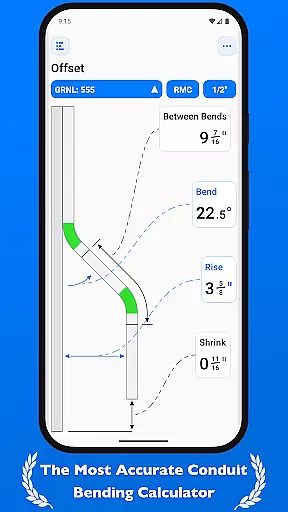
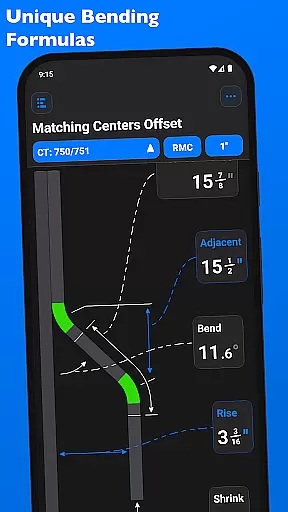
QuickBend is a cutting-edge conduit bending calculator app designed for electricians and professionals working with conduit systems. The app provides the most precise measurements by incorporating the radius of the shoe and bender, conduit type, and size diameter into its calculations. Using the centerline radius algorithm, QuickBend ensures accurate results that have been rigorously field-tested.
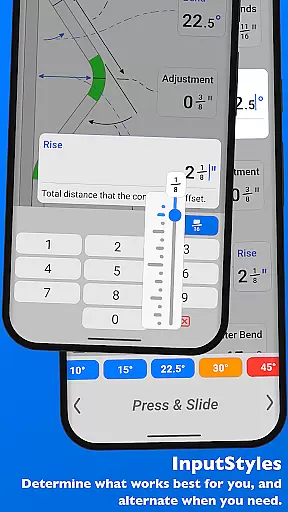
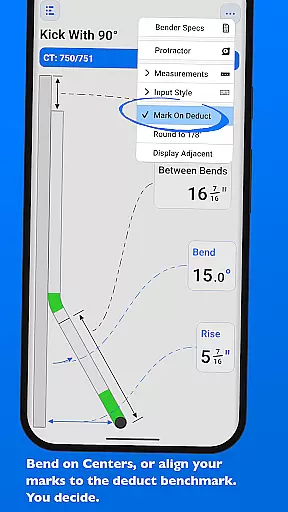
Beyond its core functionality, QuickBend offers an intuitive user interface that allows users to toggle between different input styles such as a number pad or slider bar. It also supports multiple measurement units including inches and centimeters. With features like QuickCheck, users receive instant feedback on bend feasibility through color-coded text alerts, making it easier to avoid costly mistakes.
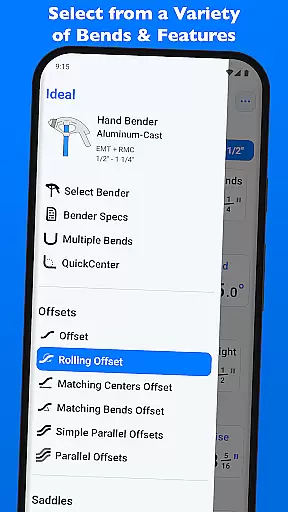
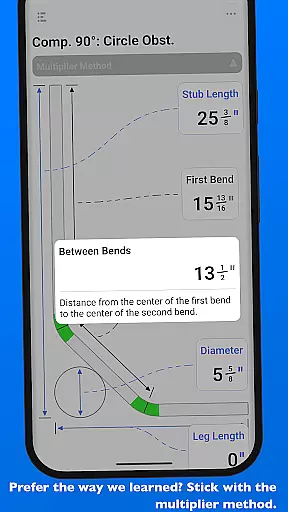
Whether you're a seasoned professional or DIY enthusiast, QuickBend caters to all skill levels. Its comprehensive support for various bends—Offset, Rolling Offset, Three-Point Saddle, and more—makes it an indispensable tool for anyone in the electrical or construction industry. By streamlining complex calculations and offering detailed documentation, QuickBend saves time and enhances productivity.
QuickBend stands out with its innovative features tailored specifically for conduit work. One of its key strengths is the ability to calculate measurements using the centerline radius algorithm, which accounts for both the shoe and bender radius, ensuring unparalleled accuracy. This feature is complemented by rigorous field testing, guaranteeing reliable performance in real-world scenarios.
The app's input flexibility is another major advantage. Users can choose between a number pad for quick entries or a slider bar (Press & Slide) for more nuanced adjustments. Additionally, QuickBend supports switching between inches and centimeters, catering to diverse project requirements. The inclusion of QuickCheck adds another layer of convenience, providing visual cues when a bend may be impossible or unlikely to succeed.
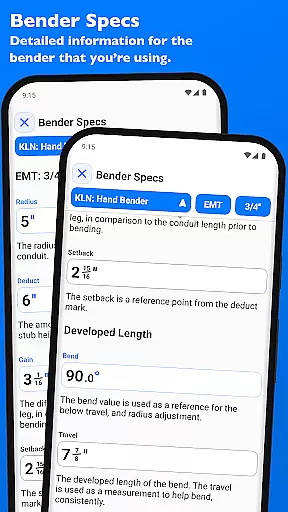
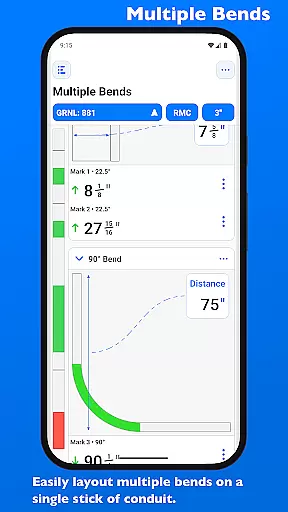
QuickBend also excels in customization and ease of use. Users can pin frequently used benders for quick access and edit detailed specifications such as centerline radius, deduct, gain, and setback. The app supports a wide range of bends, from basic 90° bends to complex compound configurations, allowing users to layout multiple bends on a single conduit with precision. These robust features make QuickBend an essential tool for maximizing efficiency in conduit projects.
QuickBend revolutionizes the way electricians and conduit workers manage their bending tasks through its advanced calculation engine. The app's core functionality lies in its ability to handle complex bending measurements with precision, taking into account variables such as shoe radius, bender type, and conduit dimensions.
The centerline radius algorithm ensures that every measurement is not only accurate but also rigorously field-tested for reliability. This level of accuracy extends to all supported bend types, from simple offsets to intricate compound bends, providing users with dependable calculations for any project.
Users benefit from QuickBend's comprehensive approach to task management, which includes detailed documentation for individual bends and the ability to layout multiple bends on a single conduit. The app's intuitive interface allows seamless switching between different input methods and measurement units, ensuring maximum flexibility and efficiency.
While QuickBend primarily focuses on precise calculations, its reliability extends to how users can access and manage their data across different scenarios. Although it doesn't offer traditional cross-device synchronization, the app provides remarkable consistency through its pinned bender feature and customizable workspace.
The ability to pin frequently used benders ensures that users can quickly switch between their preferred tools without losing time navigating menus. This feature effectively creates a personalized and reliable workspace that maintains consistency across different work sessions.
Furthermore, the app's comprehensive 'Bender Specs' section allows users to edit and view detailed specifications for their tools, including centerline radius and degree adjustments. This information remains readily available within the app, creating a reliable reference point that ensures consistent performance regardless of the device being used.
Highly accurate calculations
User-friendly interface
Wide range of supported bends
Customizable bender specs
Real-time bend feasibility checks
Premium price point
Steep learning curve
Limited free version
No offline mode
Occasional UI glitches

The long-awaited modern gallery app for your Nextcloud server
 4.70
4.70
All in one sketching tool. Technical and General drawing. Online Maps support.
3.70
Mind Map and brainstorm, note taking and idea collection
4.80
Device's storage information in a simple and clear graphical form (infographics)
4.10
aCalendar+ makes your day, week and month
4.70
Easiest event planning, volunteer signups & parent teacher conference scheduling
2.20
Access your phone's notifications, calls, apps, photos & texts on your PC
3.90
AI Chatbot and AI writing assistant powered by ChatGPT.
4.60
QuickEdit is a fast, stable and full featured text and code editor.
4.20
Understand anything with a personalized AI research assistant
4.80
Secure, fast, open-source, VNC and SSH Remote Desktop for Windows, Linux and Mac
4.70
Secure, fast, open-source, Remote Desktop Client for Windows and Linux with SSH
4.60
PDF scanner & converter for files, photos, lottery, QR codes. One swipe away!
4.50
Translate text/voice/photos in 150+ languages. Offline & fast translator app.
4.50
Customizable calendar widget for seamless event sync, planning & scheduling.
4.00
Remotely view listen control and record cameras.
3.70
Find and delete junk files & block unwanted notifications & manage files
3.70
ID.me Authenticator is a simple and free Two Factor Authentication solution
3.50
IP Camera Viewer - Android TV : RTSP Surveillance camera viewer for Android TV
4.1


User Reviews